
Bubble.io Workload Unit Optimization: The Complete Guide
You check your Bubble dashboard and your stomach drops.
Yesterday you were at 40% of your monthly workload units. Today you're at 97%. It's only the 15th of the month. Somewhere, somehow, your app burned through half your allocation in 24 hours—and you have no idea why.
"7 million workload units used in less than 12 hours! A big fat auto charge bill on the credit card of $1000." — mitchbaylis, Bubble Forum
Mitchbaylis isn't describing a one-in-a-million failure. This is Tuesday for Bubble developers. Unexpected workload spikes. Mysterious consumption patterns. Bills that materialize out of nowhere.
"I can't even confidently forecast workload fees for clients because of stuff like this." — 23cubed, Bubble Forum
When an experienced developer admits they can't predict costs, something is fundamentally broken in the pricing model. But until you migrate off Bubble, workload units are your reality. So let's understand them completely—and optimize the hell out of them.
What Are Workload Units, Really?
Bubble introduced workload units in 2023 to replace their previous capacity-based pricing. The idea seems reasonable: pay for what you use, not for server capacity sitting idle.
The reality is more complicated.
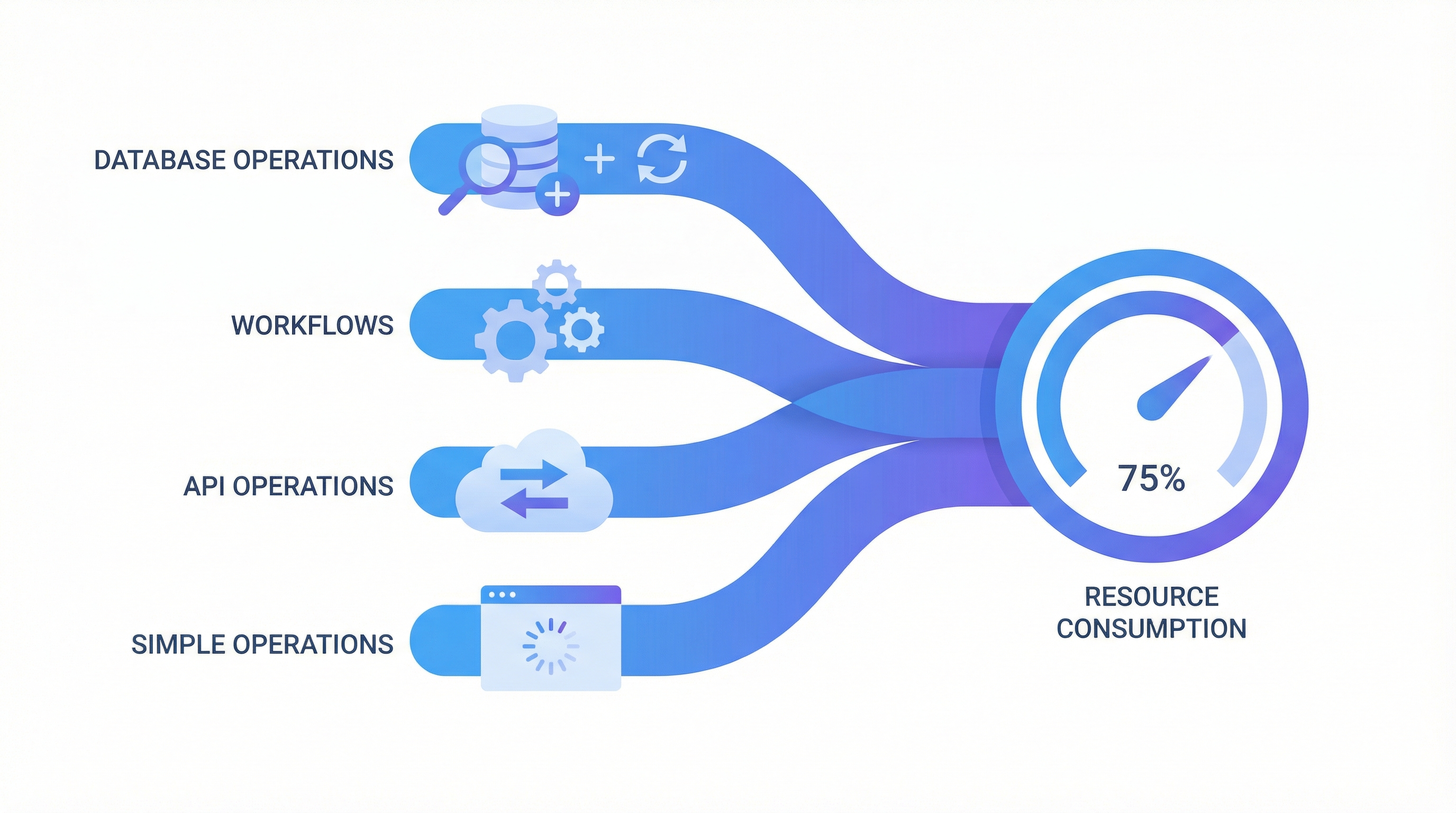
A workload unit is Bubble's abstraction of server-side computational work. When your app does something that requires Bubble's servers—running a workflow, querying the database, sending an email—it consumes workload units.
The problem? Almost everything consumes workload units:
"Everything costs workloads. Conditional statements? Workloads. Navigating a page? Workloads. Searching the database? Workloads. API calls? Workloads." — Bubble Forum
This isn't an exaggeration. Here's what actually consumes WUs:
Database Operations:
- Searches (Do a search for...)
- Creates (Create a new thing)
- Updates (Make changes to...)
- Deletes (Delete thing)
- Counts (Search:count)
Workflows:
- Every workflow step execution
- Every condition evaluation
- Every scheduled workflow
- Every backend workflow
- Every recursive workflow iteration
API Operations:
- Outgoing API calls
- Incoming API endpoint hits
- Webhook triggers
- Plugin API calls
Even "Simple" Operations:
- Page loads (yes, really)
- Evaluating conditions on page
- Privacy rule evaluations
- Rendering dynamic content
The WU cost varies by operation type, data volume, and complexity. A simple search might cost 0.2 WU. A complex search with multiple constraints and nested data? 5+ WU. Process 100 records in a loop? You just burned 500 WU without realizing it.
Why Workload Unit Bills Spiral Out of Control
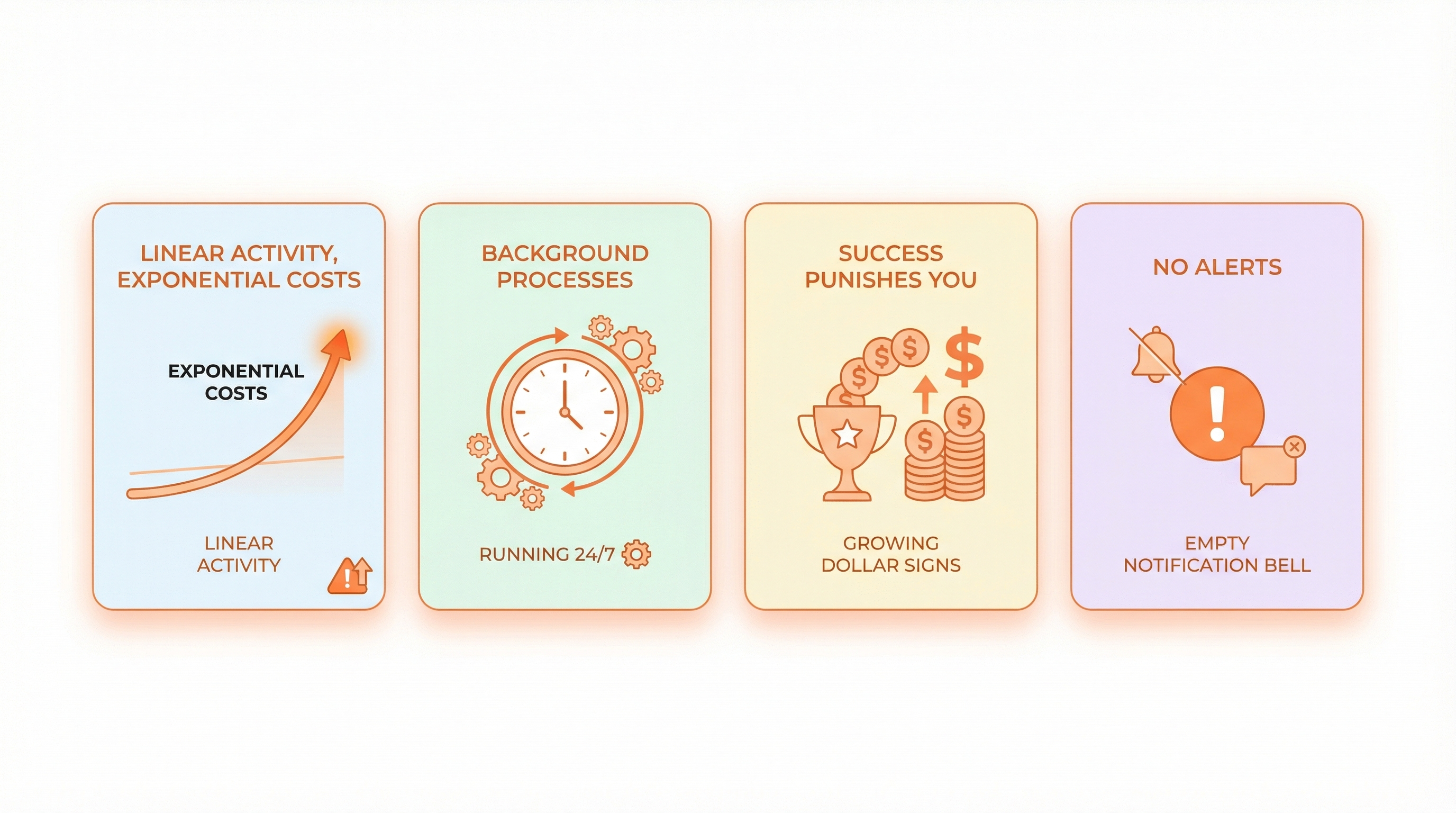
The pricing model creates perverse incentives and nasty surprises. Here's why bills explode:
1. Linear Activity, Exponential Costs
Your app has 10 daily users. Each user does 20 actions per session. At 0.5 WU per action, you use 100 WU daily—manageable.
Your app grows to 100 daily users. Same usage pattern. Now you're at 1,000 WU daily. Still manageable, maybe.
But your app doesn't scale linearly. Those 100 users generate more data. Searches get heavier. Backend workflows trigger more often. Privacy rules evaluate more records. That 1,000 WU becomes 5,000 WU without any code changes.
"I was paying $28/month when I started. Now I'm sitting at $225." — eric10, Bubble Forum (with only 10-15 daily users)
Eric10 didn't 8x his user base. He 8x'd his bill with the same tiny user count, simply because usage patterns evolved.
2. Background Processes Run Unchecked
Scheduled workflows are WU landmines. A workflow running every minute, 24/7, even when nobody's using your app, accumulates WUs constantly.
Schedule a workflow to check 1,000 records every 5 minutes and you've created:
- 288 runs per day (24 hours × 60 minutes ÷ 5 minute intervals)
- 288,000 record checks per day
- If each check costs 0.1 WU: 28,800 WU per day
- 864,000 WU per month—just from one scheduled workflow
"If I'd left the lights on for a weekend I'd be looking at $5k auto charged — that'd be 37x my normal monthly charge." — mitchbaylis, Bubble Forum
"Left the lights on" means a process kept running. That's all it takes. One recursive workflow. One misconfigured schedule. One infinite loop nobody noticed.
3. Success Punishes You
This is the cruelest irony of the WU model. Building something people love doesn't make Bubble cheaper—it makes it exponentially more expensive.
"when successful, running on Bubble is 10-100 times more expensive than running on self written code" — sem, Bubble Forum
Custom code has nearly fixed hosting costs. Your Next.js app on Vercel costs roughly the same whether you have 100 users or 10,000 users. Database queries cost fractions of a cent.
Bubble charges you more as you succeed. Get more users? More WUs. Get more engagement? More WUs. Get more data? More WUs. Build more features? More WUs.
The pricing model punishes growth.
4. No Alerts Until It's Too Late
Your app can blow through its entire monthly allocation before you wake up.
"within 2.5 hours it reached 100% of the 175,000 WU monthly limit, which caused Bubble to automatically take it offline" — 23acher, Bubble Forum
23acher's app was taken offline on launch day. Two and a half hours after launching—when they finally had users trying the product—Bubble shut them down.
There's no "you're approaching your limit" warning at 80%. No auto-pause option at 90%. Just a bill and an outage.
What Operations Cost the Most WUs
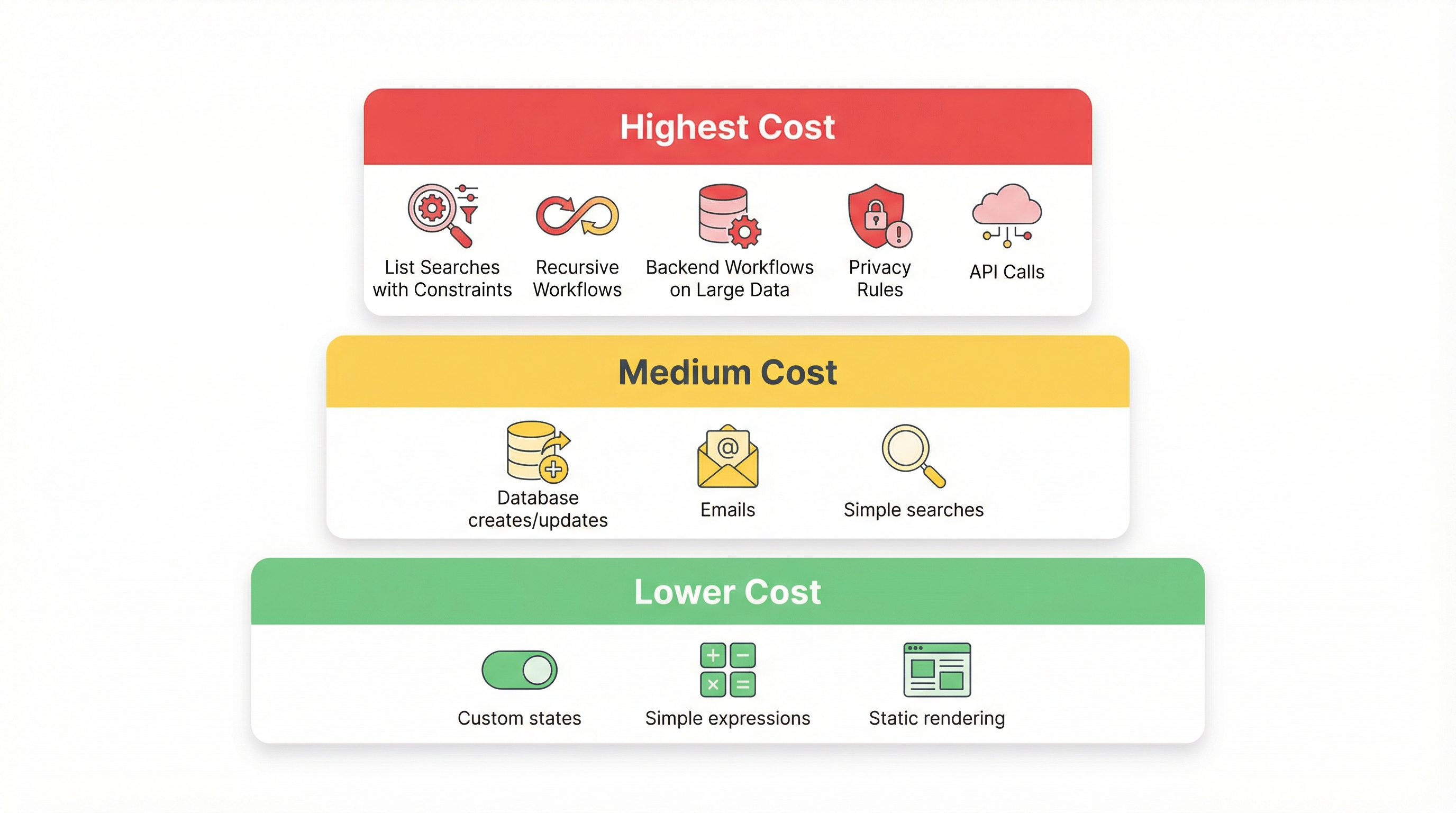
Not all operations are equal. Some burn WUs 10-50x faster than others. Here's what to target first:
Highest WU Consumers (Target These First)
1. List Searches with Constraints
Every "Do a search for" with multiple constraints is expensive. Each constraint multiplies the work:
| Search Complexity | Approximate WU Cost |
|---|---|
| Simple search, no constraints | 0.1-0.3 WU |
| Search with 1-2 constraints | 0.3-0.8 WU |
| Search with 3-5 constraints | 0.8-2.0 WU |
| Search with nested constraints | 2.0-5.0+ WU |
| Search filtered by another search | 3.0-10.0+ WU |
A page with 5 repeating groups, each with complex searches, might consume 10-25 WU just to load.
2. Recursive Workflows
Workflows that call themselves to process lists are WU black holes. Processing 1,000 items in a recursive workflow costs at minimum 1,000 WU—more realistically 2,000-5,000 WU depending on what each iteration does.
3. Backend Workflows on Large Datasets
Running a backend workflow on "all users" when you have 10,000 users means 10,000 workflow executions. At 0.5-2 WU per execution, that's 5,000-20,000 WU for one operation.
4. Privacy Rules with Complex Conditions
Privacy rules evaluate on every data access. Complex privacy rules with searches or multiple conditions multiply your effective WU cost invisibly.
5. API Calls (Incoming and Outgoing)
External API calls are expensive. Each outgoing call costs WUs. Each incoming API request to your endpoints costs WUs. Webhook-heavy integrations drain your allocation fast.
Medium WU Consumers
- Creating/updating database records
- Sending emails
- Simple searches with 1-2 constraints
- Single backend workflow triggers
Lower WU Consumers
- Client-side operations (custom states, conditions without data fetching)
- Simple expressions
- Static element rendering
- Navigation without data loading
The Optimization Playbook: What Actually Works
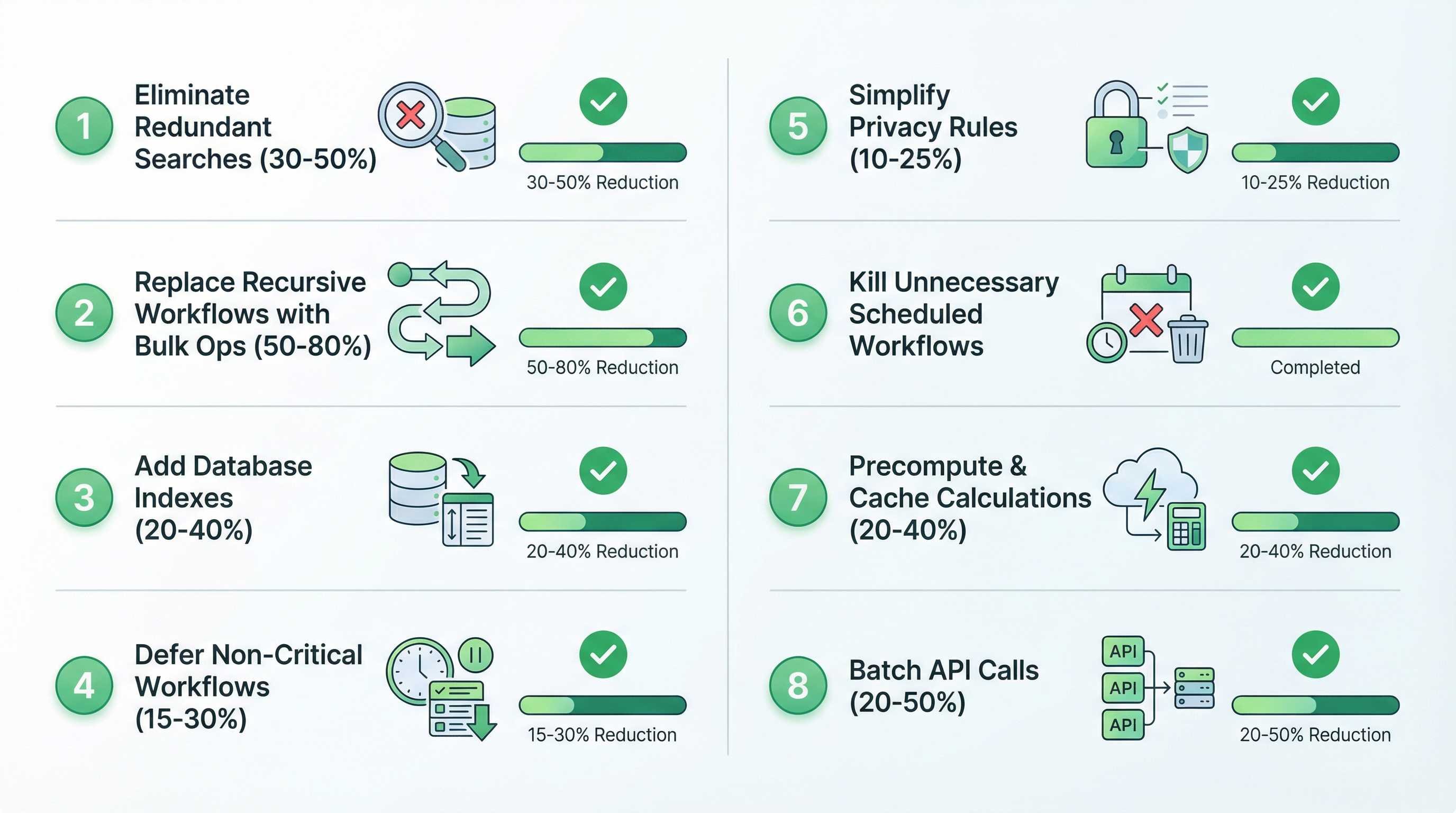
Here are the optimizations that provide real WU savings, ordered by impact.
1. Eliminate Redundant Searches (Impact: 30-50% reduction)
The biggest WU waste is searching for the same data multiple times.
The Problem:
You have a page that displays a user's profile. Five different elements each run "Search for Users where unique_id = Current User's unique_id" to access different fields.
That's 5 searches for identical data. 5x the WU cost. Every page load.
The Fix:
Search once, store in a custom state, reference everywhere:
Page Load → Set state "CurrentUserData" to: Search for Users where unique_id = Current User's unique_id : first item

All elements reference: State "CurrentUserData"'s field_name
Now you run one search instead of five. 80% reduction in search WUs for that data.
Apply this pattern to:
- Repeating groups that reference the same list
- Elements that query the same record
- Conditions that run the same search to check values
2. Replace Recursive Workflows with Bulk Operations (Impact: 50-80% reduction)
Recursive workflows are the most wasteful pattern in Bubble.
The Problem:
You need to update 500 users. Your workflow:
- Gets first user
- Updates user
- Schedules same workflow for next user
- Repeats 500 times
Cost: 500+ workflow executions = 1,000-2,500 WU
The Fix:
Use bulk operations where possible:
Make changes to a list of things:
  Search for Users (with constraints)
  Fields to change: status = "active"
One operation. One search cost. Dramatically lower WU.
When bulk isn't possible:
Use Backend Workflow on a list instead of recursive calls. It's still multiple operations but more efficient than recursion.
3. Add Database Indexes (Impact: 20-40% reduction)
Indexes don't just speed up searches—they reduce WU consumption because Bubble processes them more efficiently.
The Fix:
In Data → Database settings:
- Identify fields you search frequently
- Enable indexing on those fields
- Focus on fields used in constraints: unique IDs, user references, status fields, dates
Impact:
Complex searches can drop from 2-5 WU to 0.5-1.5 WU with proper indexing.
4. Defer Non-Critical Workflows (Impact: 15-30% reduction)
Not everything needs to happen immediately.
The Problem:
User submits a form. Your workflow:
- Saves data (necessary)
- Sends confirmation email (necessary)
- Logs analytics event (less critical)
- Updates aggregate counters (less critical)
- Syncs to external CRM (less critical)
All five operations run during peak hours when users are active. All consume WU when they don't need to.
The Fix:
Use scheduled backend workflows for non-critical operations:
Form Submit Workflow:
  1. Create the Thing
  2. Send email
  3. Schedule "Process Analytics" for: Current date/time + minutes: 1
  4. Schedule "Sync to CRM" for: Current date/time + hours: 1
This spreads WU consumption over time and lets you batch similar operations.
5. Simplify Privacy Rules (Impact: 10-25% reduction)
Privacy rules are evaluated constantly but invisibly. Complex rules compound WU costs on every data access.
The Problem:
Your privacy rule: "This User's company = Search for Companies where admin = Current User : first item's company"
Every time anyone accesses a User record, Bubble runs a Company search. If a page displays 50 users, that's 50 extra searches just for privacy evaluation.
The Fix:
Store the relationship directly:
Add field "company" to User (type: Company)
Set on user creation/update

Privacy rule becomes: "This User's company = Current User's company"
No search required. Direct field comparison. Massive WU savings at scale.
6. Kill Unnecessary Scheduled Workflows (Impact: Variable but often huge)
Audit every scheduled workflow. Question whether it needs to exist.
Questions to ask:
- Does this need to run when no users are active? (Maybe schedule only during business hours)
- Does this need to check every record? (Maybe only check records modified recently)
- Does this need to run every minute? (Maybe every hour is fine)
- Is there a database trigger that could replace this? (Run workflow only when data changes)
Example:
A workflow that checks all 5,000 users for expiring subscriptions every hour.
- 5,000 checks × 24 hours = 120,000 record checks per day
- If 0.1 WU per check = 12,000 WU daily
Better approach:
Query only users with subscription_end_date within 7 days and last_reminder_sent more than 24 hours ago.
- Maybe 50 users match = 50 checks per hour
- 1,200 checks per day instead of 120,000
- 99% WU reduction
7. Precompute and Cache Expensive Calculations (Impact: 20-40% reduction)
If you're computing the same thing repeatedly, store the result.
The Problem:
Your dashboard shows "Total orders this month" in 3 places. Each runs: "Search for Orders where created_date > start of month:count"
Three searches hitting potentially thousands of records. Every page load.
The Fix:
Create a field "orders_this_month" on User (or a Stats data type). Update it once when an order is created:
Order Create Workflow:
  Make changes to Current User
    orders_this_month = Current User's orders_this_month + 1
Now displaying the count costs zero WU—it's just reading a stored number.
8. Batch API Calls (Impact: 20-50% reduction on API-heavy apps)
External API calls are expensive. Batch them when possible.
The Problem:
Your app syncs 100 products from an external service. Your workflow:
- Gets product list
- For each product, makes an API call to get details
- 100 API calls = 100+ WU (plus the processing)
The Fix:
If the external API supports batch requests, use them. Get 100 products in one call instead of 100 calls.
If it doesn't, schedule the syncs to run during off-peak hours so at least they don't compound with user activity.
When Optimization Isn't Enough
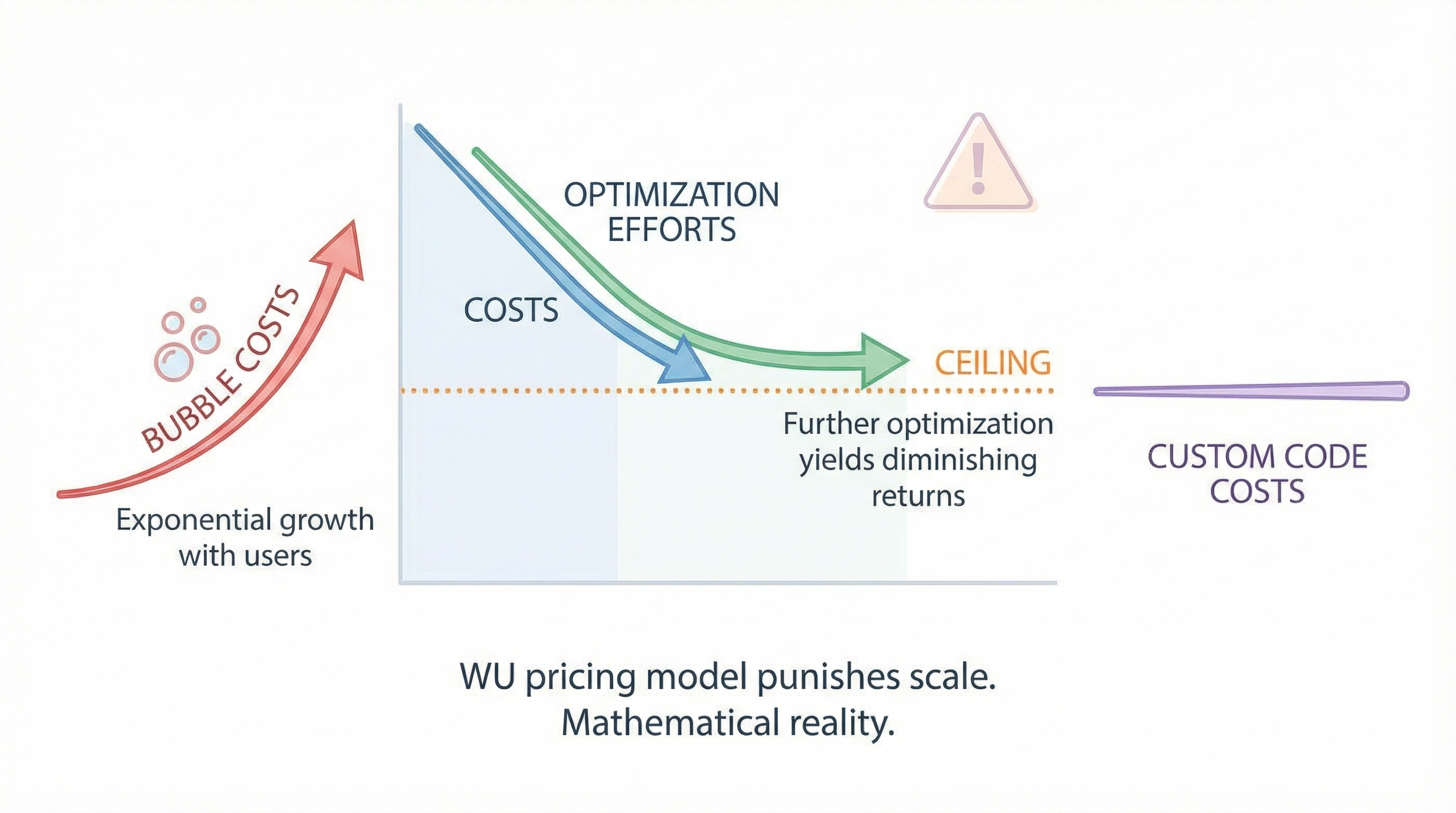
Here's what nobody wants to hear: sometimes optimization can't solve the problem.
You can cut WU consumption by 50%. You can eliminate redundant searches. You can simplify privacy rules. And you'll still face:
- A pricing model that punishes growth
- Unpredictable spikes from user behavior
- Background process risks
- Bills that grow faster than revenue
"The whole workload business model is honestly the dumbest ideas Bubble has ever come up with" — Bubble Forum
The criticism is harsh but reflects real frustration. WU pricing creates:
Unpredictability: You can't budget accurately when costs depend on user behavior you can't control.
Perverse incentives: Features that users love (notifications, real-time updates, rich searches) are the most expensive.
No efficiency ceiling: Unlike custom code where optimization has diminishing returns but also diminishing costs, Bubble optimization has diminishing returns while costs keep growing.
The Math at Scale
Let's say you optimize perfectly and achieve a 50% WU reduction. Your app uses 100,000 WU monthly instead of 200,000 WU.
Now you grow 10x. You're at 1,000,000 WU monthly. You've exhausted all optimizations—they're already in place. Your bill grows linearly with users while your revenue might not.
On custom code, that same 10x growth might take your hosting from $50/month to $100/month. On Bubble, it takes you from $200/month to $2,000/month.
"when successful, running on Bubble is 10-100 times more expensive than running on self written code" — sem, Bubble Forum
This isn't about being anti-Bubble. It's about understanding that the WU model has mathematical implications at scale that no amount of optimization can overcome.
The Decision Framework
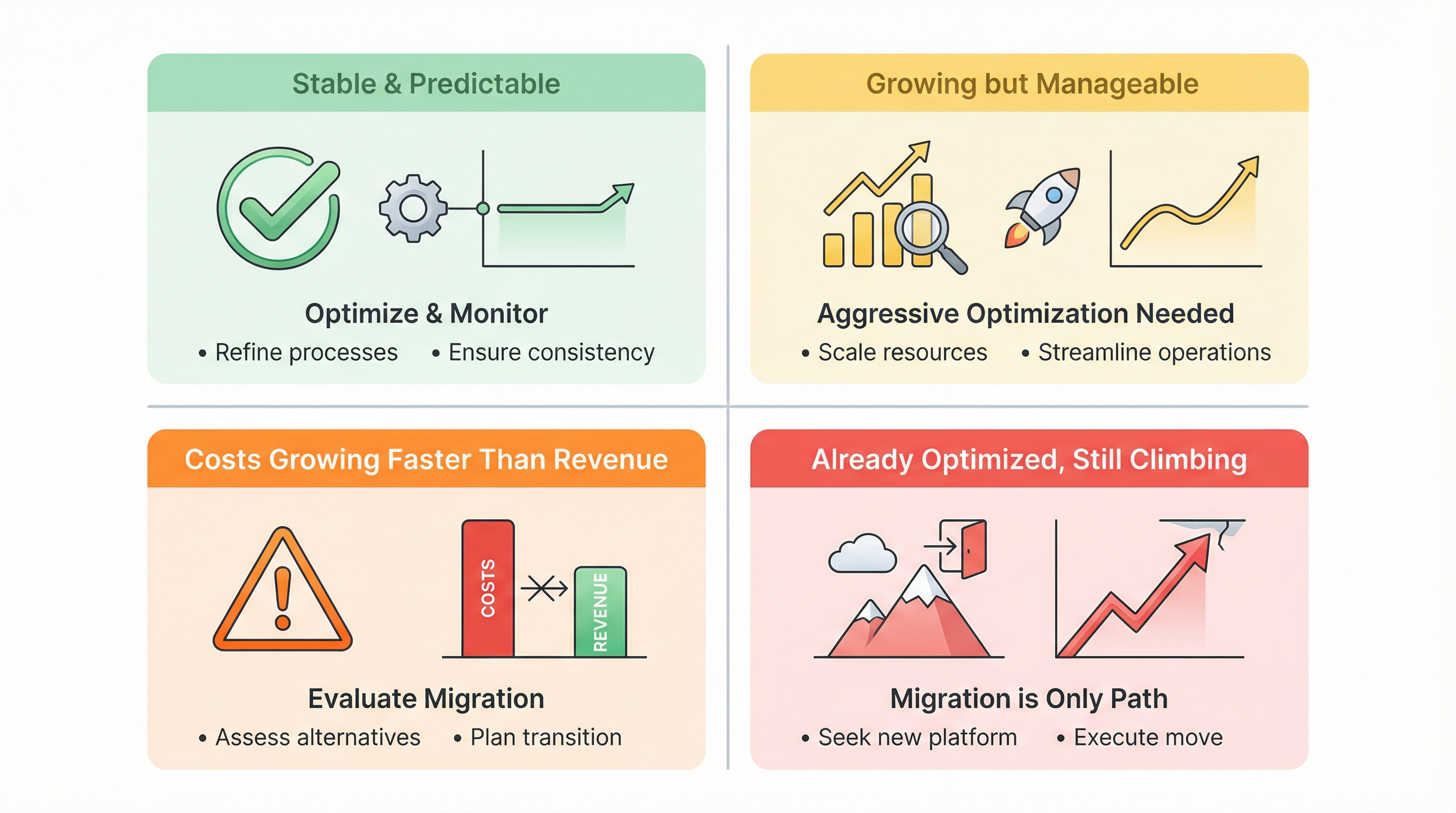
Here's how to think about your WU situation:
If your WU usage is stable and predictable:
- Implement the optimizations above
- Monitor regularly
- Budget for 20% growth buffer
If your WU usage is growing but manageable:
- Aggressive optimization now
- Set up alerts for unusual spikes
- Start evaluating long-term options
If your WU costs are growing faster than revenue:
- Immediate optimization sprint
- Serious evaluation of migration timeline
- Calculate ROI of one-time migration vs. ongoing WU costs
If you've already optimized and costs keep climbing:
- The platform has hit its limit for your use case
- Migration is likely the only sustainable path
Frequently Asked Questions
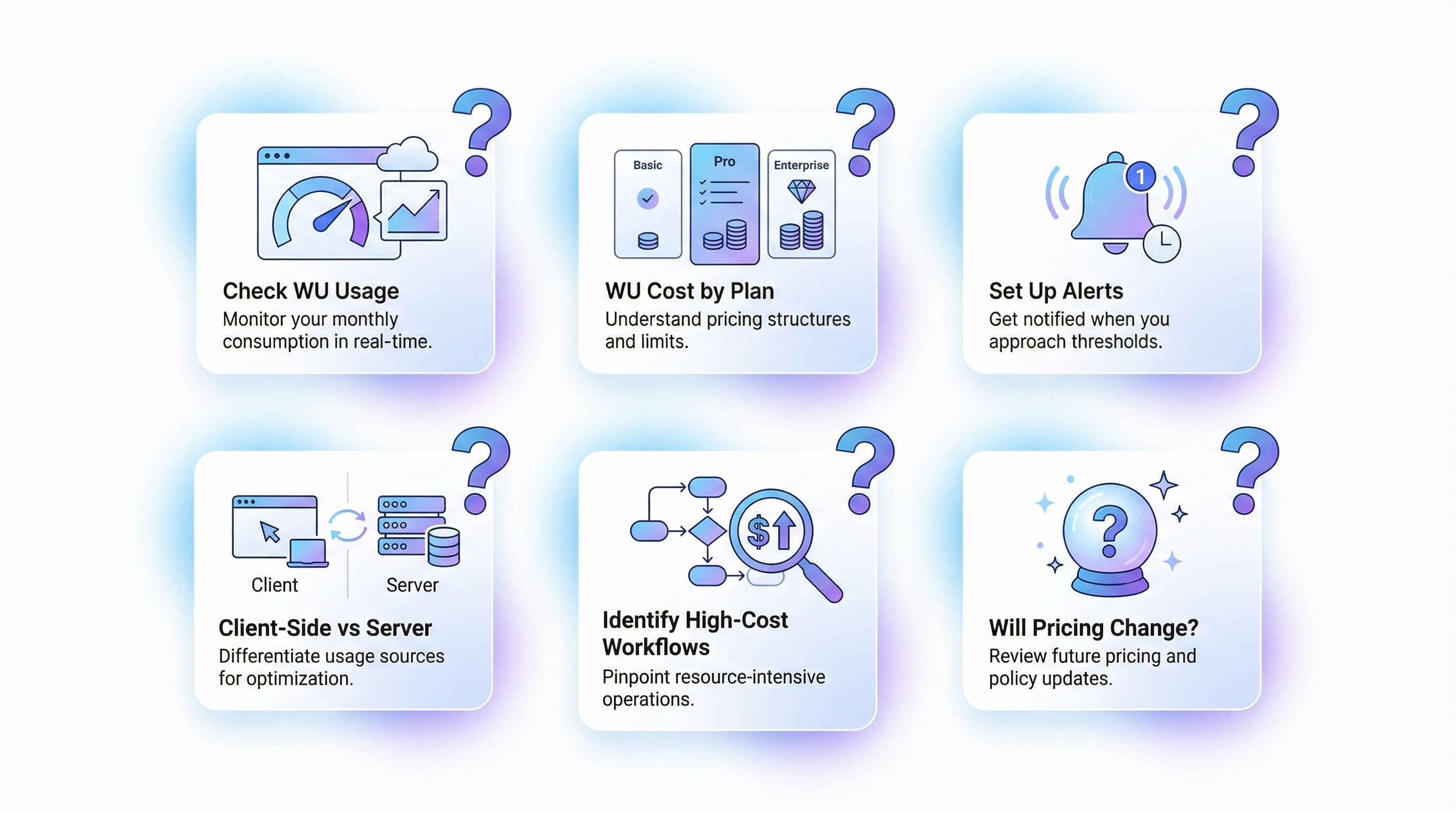
What's the most efficient way to check my current WU usage?
Go to your Bubble dashboard → Logs → Server logs. Filter by date range and look at the "Workload" column. You can export this data to analyze patterns. Focus on which operations consume the most WUs and when spikes occur.
Do workload units cost the same on all Bubble plans?
No. Higher-tier plans include more WU in their base price and have lower per-WU overage costs. But the consumption patterns are identical—the same operation costs the same WU regardless of plan. Higher plans just give you more included allocation.
Can I set up alerts before I hit my WU limit?
Bubble doesn't have built-in alerts, but you can create a backend workflow that checks your WU usage against your limit and sends you an email when you hit 70%, 85%, 95%. This is itself a WU-consuming operation, so run it once daily, not continuously.
Do client-side operations like custom states consume WUs?
No. Custom states, client-side conditions, and expressions that don't fetch data are free. This is why optimization often involves moving logic to custom states rather than database queries.
How do I identify which workflows consume the most WUs?
In Server logs, look for workflow names with high WU consumption. Sort by workload to find the worst offenders. Focus optimization efforts on the top 5-10 consumers—they often account for 80% of total usage.
Will Bubble ever change the WU pricing model?
Bubble has adjusted WU pricing since introduction, generally increasing included limits on higher plans. But the fundamental model—paying per computational work—seems to be their long-term direction. Don't count on pricing changes solving your scaling problems.
Moving Forward
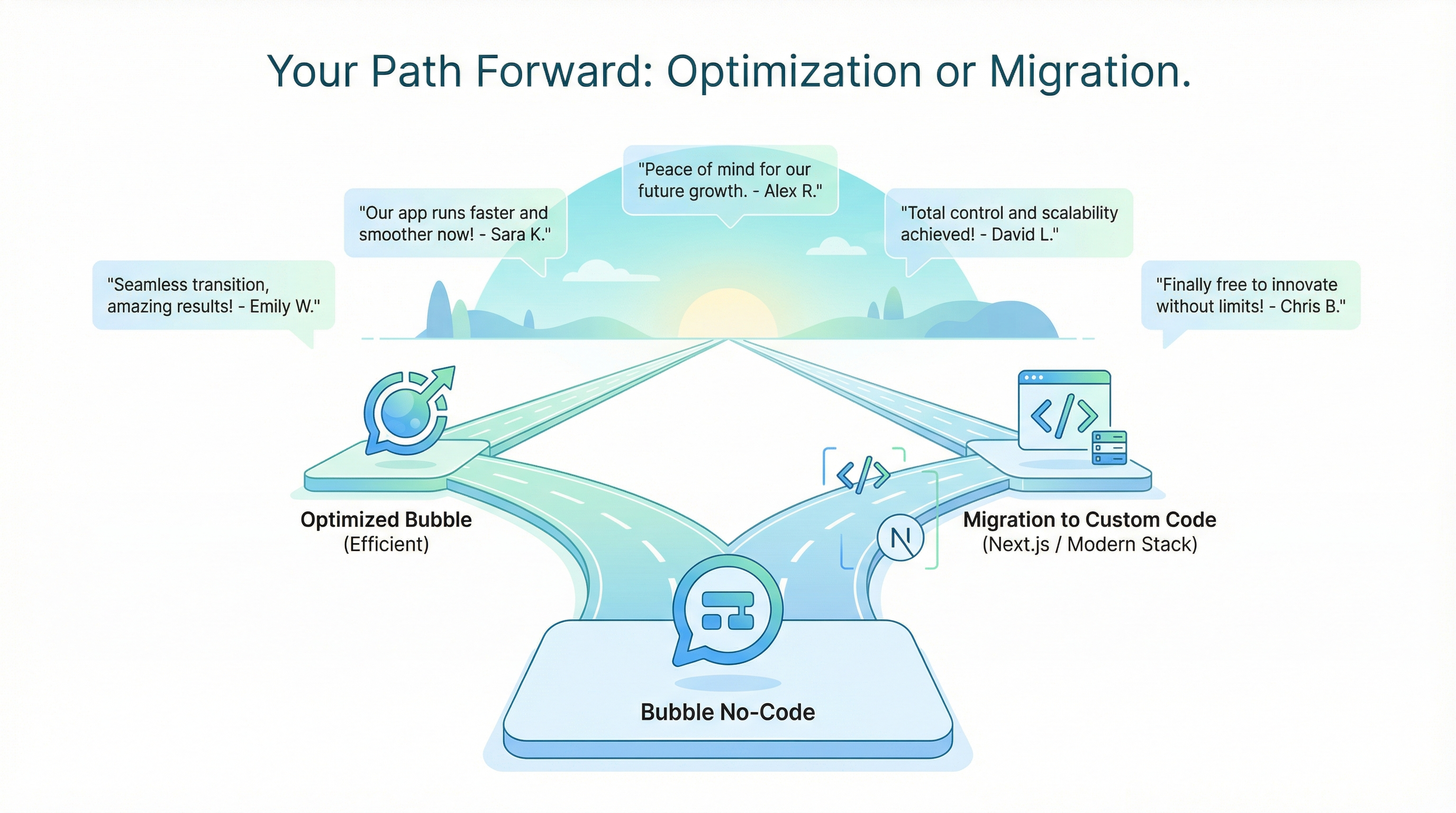
Workload unit optimization is worth doing. The strategies in this guide can meaningfully reduce your costs and buy you time.
But optimization has limits. If your app is growing, if your users love your product, if you're building something real—eventually you'll hit the ceiling of what WU optimization can achieve.
The founders who've migrated describe a different reality:
"no need to worry about costs" — munaeemmmm, Bubble Forum (after migrating to Next.js)
"custom code is always better...not an opinion, its a fact" — thuto.co, Bubble Forum
That peace of mind—knowing your costs won't spike overnight, knowing growth won't bankrupt you, knowing you control your own infrastructure—has value beyond the direct cost savings.
Get your WU audit → — Send us your app details. We'll analyze your workload patterns, identify your highest-cost operations, and estimate what you could save through optimization vs. migration. Some apps genuinely can optimize their way to sustainability. Others can't. Better to know which category you're in.
Related reading:
Ready to talk migration?
Get a free assessment of your Bubble app. We'll tell you exactly what to expect — timeline, cost, and any potential challenges.