
Bubble Plugin Alternatives: What You'll Gain (and Lose) When You Migrate
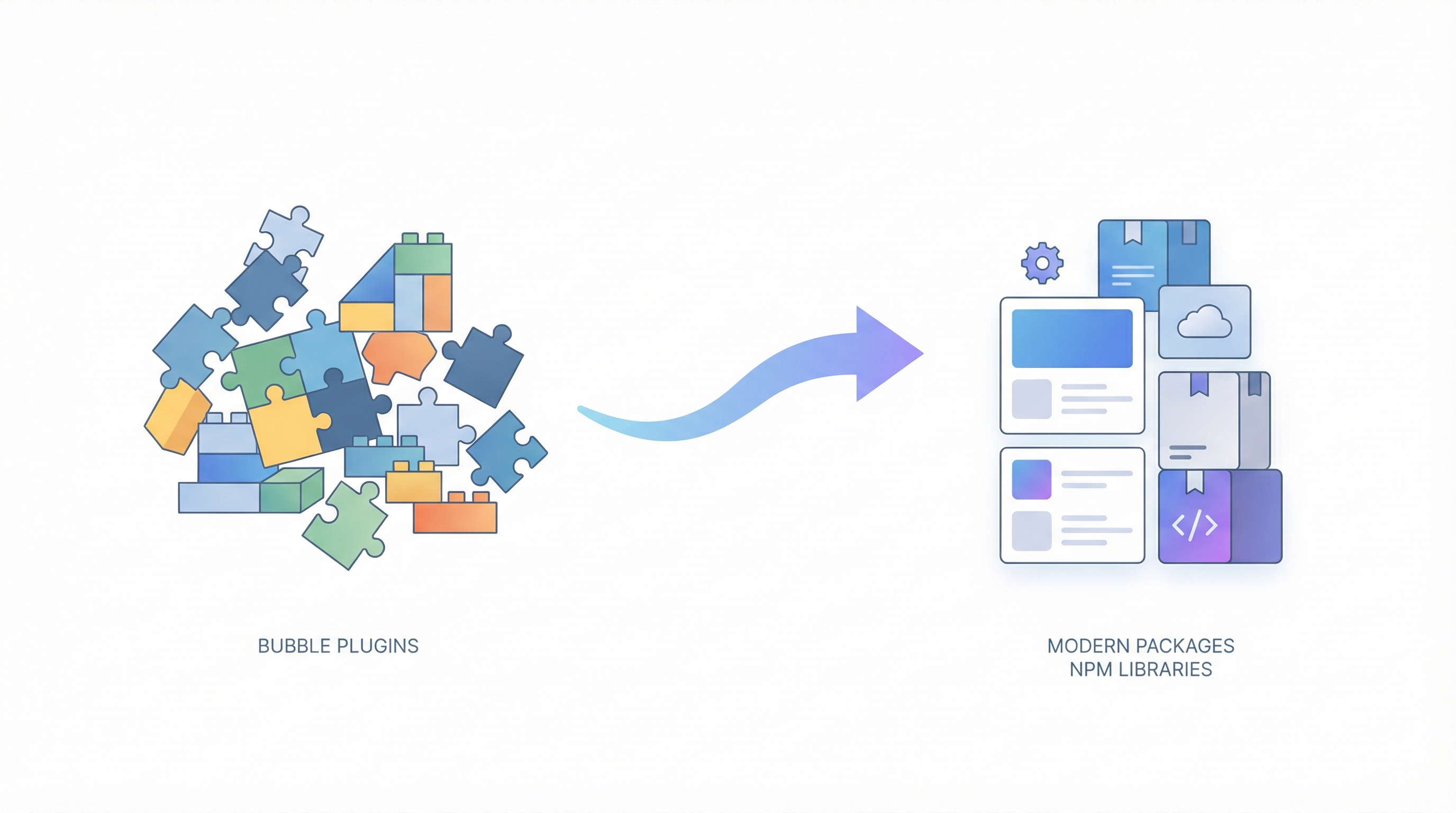
You've been staring at your Bubble app for the past hour, trying to count the plugins.
There's the Stripe plugin for payments. The Sendgrid plugin for emails. That fancy rich text editor you installed two years ago. The calendar component. The file uploader. The charts plugin that never quite worked right but you made do. The CSS toolkit. The API connector. That random plugin you installed for one feature and forgot about.
Twenty-three plugins. Maybe more.
And now you're thinking about migrating off Bubble, and a single question is keeping you stuck:
"My app relies heavily on Bubble plugins — how do you replicate those?"
This isn't a trivial concern. You've built an entire application on top of these plugins. They're woven into your workflows, your UI, your user experience. The thought of replacing each one—manually, from scratch—sounds like rebuilding your entire app.
"my bubble app has some pretty sophisticated UI operations that non-bubble devs seem to scratch their heads when trying to replicate" — ericm, Bubble Forum
Ericm's fear is real. You've spent years learning Bubble's ecosystem, understanding which plugins work together, figuring out workarounds for the ones that don't. How could a traditional developer possibly understand what you've built?
Here's the thing though: most Bubble plugins aren't magic. They're wrappers around functionality that exists natively in the custom code world—often in better, faster, more flexible forms.
This guide breaks down exactly what happens to your plugins when you migrate. You'll learn which ones transfer seamlessly, which require alternatives, which become unnecessary, and—yes—which few might cause real friction. No sugarcoating, no hand-waving. Just the honest breakdown you need to make a confident decision.
Understanding What Bubble Plugins Actually Are
Before we dive into specific replacements, let's clarify what plugins really do. This context matters.
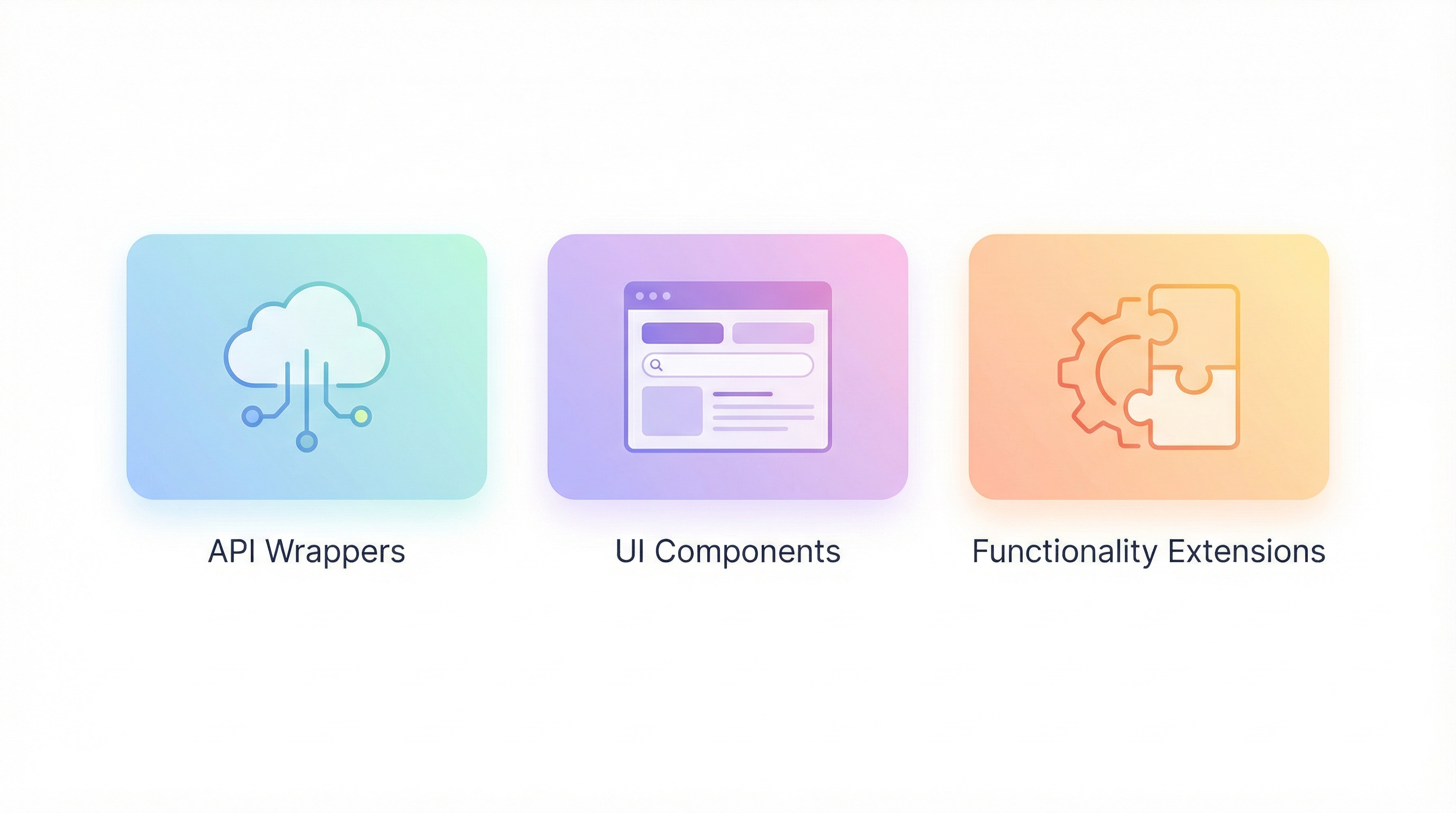
Most Bubble plugins fall into three categories:
- API wrappers — Plugins that connect to external services (Stripe, Twilio, Sendgrid, etc.)
- UI components — Plugins that add visual elements (calendars, charts, editors, etc.)
- Functionality extensions — Plugins that add capabilities Bubble lacks (PDF generation, advanced calculations, etc.)
Here's the crucial insight: none of these categories are Bubble-specific capabilities. They're all standard web development features that Bubble has packaged into plugins because Bubble itself can't do them natively.
In custom code, you don't need a "Stripe plugin." You use Stripe's official SDK—the same tools that Stripe actually builds and maintains. You don't need a "calendar plugin." You use a React calendar library with 10x more features and better performance.
Let's be precise about this:
| Plugin Type | In Bubble | In Custom Code |
|---|---|---|
| API integrations | Third-party plugin (may be abandoned) | Official SDK from the service provider |
| UI components | Plugin (limited customization) | Open-source libraries (full customization) |
| Core functionality | Plugin + workarounds | Native language features |
The ecosystem flip is dramatic. Instead of relying on a single developer who may or may not maintain their Bubble plugin, you're using libraries maintained by thousands of developers and used by millions of applications.
The Plugin Migration Matrix: Every Category Covered
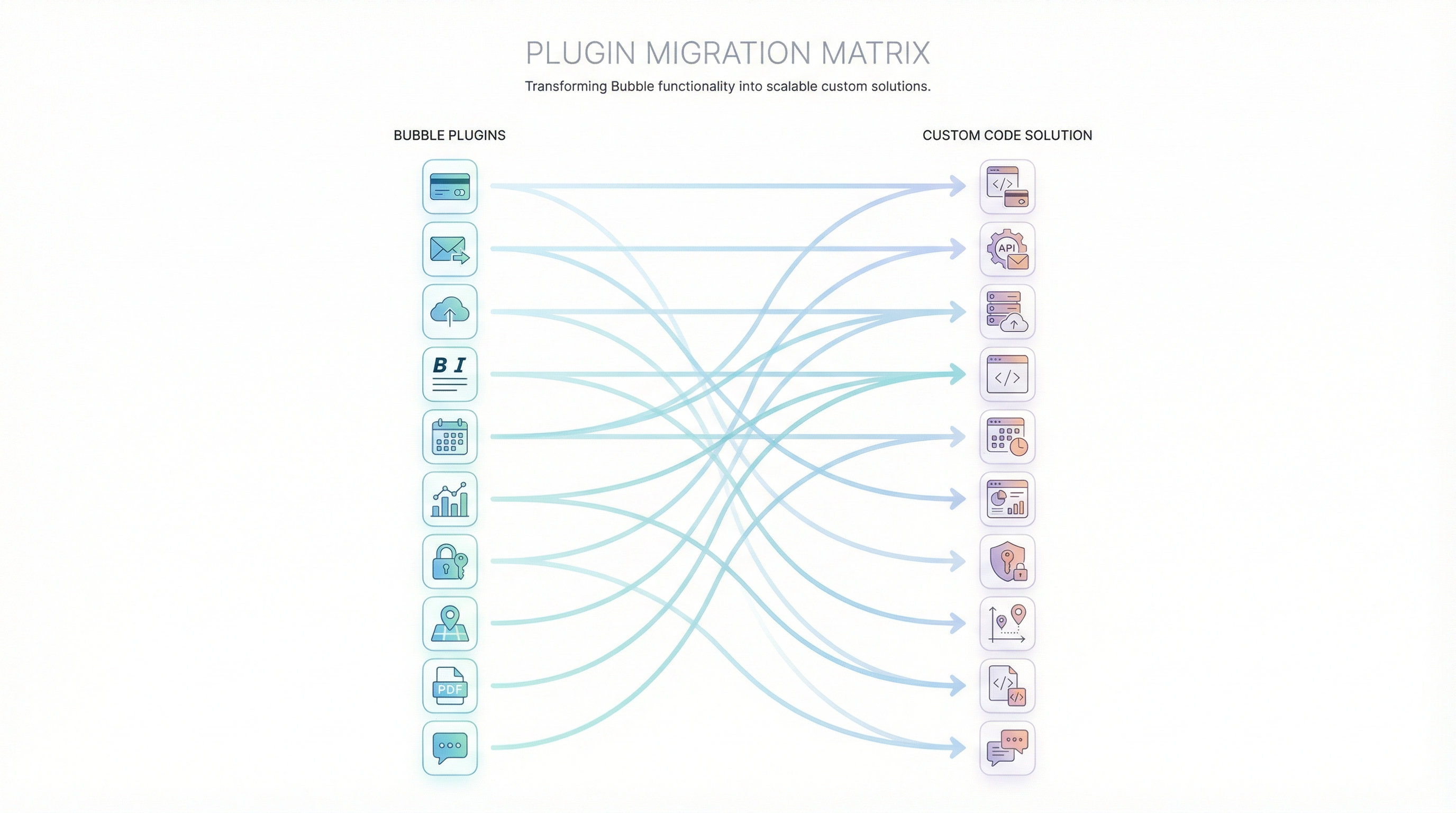
Let's go category by category through the major plugin types and their custom code equivalents.
Payment Plugins → Native SDKs
Common Bubble plugins: Stripe, PayPal, Square, Razorpay
What changes:
In Bubble, you install a Stripe plugin and hope it supports the features you need. If you need webhooks, you configure them through Bubble's backend workflows. If the plugin doesn't support a specific Stripe feature—like Stripe Checkout Sessions with custom metadata—you're stuck.
In custom code, you use Stripe's official Node.js SDK. Every feature Stripe offers is available to you. Webhooks become simple API endpoints. You can implement subscription logic, usage-based billing, complex proration—anything in Stripe's documentation.
Migration complexity: ⭐ (Very Easy)
Payment integrations are among the easiest migrations because:
- Official SDKs have excellent documentation
- Your Stripe account transfers (it's independent of your codebase)
- Customer data lives in Stripe, not in your app
- Test mode lets you verify everything before going live
What you gain:
- Access to 100% of Stripe/PayPal features (not just what the plugin supports)
- Faster payment processing (no Bubble middleware)
- Better error handling and logging
- Type-safe implementations that catch bugs at compile time
Code example (Stripe Checkout):
// In Next.js - cleaner and more powerful than any Bubble plugin
import Stripe from 'stripe';

const stripe = new Stripe(process.env.STRIPE_SECRET_KEY);

export async function createCheckoutSession(userId, priceId) {
  const session = await stripe.checkout.sessions.create({
    mode: 'subscription',
    payment_method_types: ['card'],
    line_items: [{ price: priceId, quantity: 1 }],
    success_url: `${process.env.BASE_URL}/success?session_id={CHECKOUT_SESSION_ID}`,
    cancel_url: `${process.env.BASE_URL}/canceled`,
    metadata: { userId }, // Custom metadata - often hard in Bubble plugins
  });

  return session.url;
}
Email Plugins → Native SDKs + Better Options
Common Bubble plugins: Sendgrid, Mailgun, Postmark, AWS SES
What changes:
Bubble email plugins typically offer basic send functionality. Want to track email opens? View delivery analytics? Send templated transactional emails with dynamic content? You're usually fighting the plugin's limitations.
In custom code, you again use official SDKs—but you also get access to services that don't even have Bubble plugins. Resend, for example, is a modern email API beloved by developers for its simplicity. React Email lets you build beautiful transactional emails using the same components as your app.
Migration complexity: ⭐ (Very Easy)
What you gain:
- Email templates as React components (matching your app's design system)
- Better analytics and deliverability monitoring
- Access to modern email services without waiting for plugin developers
- Easier testing and debugging
What about existing contacts/templates?
Your contacts and templates live in the email service (Sendgrid, etc.), not in Bubble. They transfer automatically—you're just connecting differently.
File Upload & Storage Plugins → Modern Alternatives
Common Bubble plugins: File uploader, Imgix, Cloudinary, AWS S3 connectors
What changes:
Bubble's native file handling is notoriously limited. Apps often use plugins for progress bars, image optimization, or S3 uploads. Even then, features like drag-and-drop zones or preview galleries require additional plugins.
In custom code, file handling is a solved problem. UploadThing, Vercel Blob, Cloudinary's React SDK, or direct S3 integration all offer drop-in solutions. Progress bars, previews, image optimization, and resumable uploads work out of the box.
Migration complexity: ⭐⭐ (Easy)
What you gain:
- True resumable uploads (critical for mobile users on spotty connections)
- Client-side image optimization before upload
- Better CDN integration for faster delivery
- Native drag-and-drop with preview
- Progress tracking that actually works
Real-world improvement:
One common Bubble complaint is file upload timeouts on larger files. Custom implementations with S3 presigned URLs and chunked uploads handle files of any size without timing out. This isn't possible in most Bubble plugins.
Rich Text Editor Plugins → Mature Libraries
Common Bubble plugins: Rich Text Input, Zeroqode Editor, Air Text Editor
What changes:
Bubble rich text editors are some of the most frustrating plugins in the ecosystem. You want basic formatting, maybe image embedding, perhaps @mentions for users. But every plugin has different limitations—one supports images but not mentions, another supports mentions but breaks on mobile.
In custom code, you have access to editors used by millions of applications. TipTap, Slate, and Lexical (built by Meta) offer features no Bubble plugin can match: collaborative editing, version history, custom formatting marks, embedded components.
Migration complexity: ⭐⭐ (Easy)
What you gain:
- Collaborative real-time editing (like Google Docs)
- Custom slash commands (like Notion)
- Full mobile support
- Accessibility compliance
- Vastly better performance
A common objection addressed:
"But I've customized my Bubble editor with CSS and workflows!"
True—and you'll need to apply similar customization in code. The difference? Code customization is more powerful, better documented, and won't break when a plugin updates. The time investment is similar, but the ceiling is much higher.
Calendar & Scheduling Plugins → Superior Components
Common Bubble plugins: Full Calendar, Calendar Selector, Air Date/Time Picker
What changes:
Bubble calendar plugins are notorious for performance issues on mobile and limited customization. Want a different color for different event types? Custom popover on click? Drag-to-reschedule? You're either fighting CSS overrides or hitting plugin walls.
In custom code, libraries like FullCalendar's React component or Cal.com's embeddable scheduler offer everything you need with proper customization APIs.
Migration complexity: ⭐⭐ (Easy)
What you gain:
- 10-50x faster rendering on large datasets
- Proper mobile gesture support (drag, swipe, pinch-zoom)
- Full styling control
- Recurring events that actually work correctly
- Integration with external calendars (Google, Outlook)
Chart & Data Visualization Plugins → Powerful Libraries
Common Bubble plugins: Chart.js Element, Bubble Charts, Zeroqode Charts
What changes:
Data visualization in Bubble is severely constrained. Most chart plugins only support basic chart types, struggle with more than a few hundred data points, and offer minimal interactivity.
In custom code, libraries like Recharts, Nivo, or Apache ECharts power dashboards at companies like Airbnb, Netflix, and Uber. Interactive zooming, real-time updates, custom tooltips, and animations all work beautifully.
Migration complexity: ⭐⭐ (Easy)
What you gain:
- Handle millions of data points without crashing
- Interactive drilling, zooming, filtering
- Export to PNG/PDF
- Accessibility features
- Animation and transition effects
Authentication & User Management → Built-In Solutions
Common Bubble plugins: OAuth providers, Auth0, Magic Link
What changes:
Authentication is actually simpler in custom code because frameworks like Next.js have built-in solutions. NextAuth.js (now Auth.js) handles everything—social login, magic links, credentials, JWTs, sessions—with a few lines of configuration.
Migration complexity: ⭐⭐⭐ (Moderate)
This gets three stars not because it's technically hard, but because it requires careful planning for existing users. See our password migration guide for the full breakdown.
What you gain:
- More OAuth providers (Bubble plugins often lag behind new providers)
- Better session management
- True SSO for enterprise customers
- Password policies you control
- Two-factor authentication done properly
Maps & Location Plugins → Standard APIs
Common Bubble plugins: Google Maps, Mapbox, Leaflet, Location Picker
What changes:
Map plugins in Bubble work, but you're always one abstraction layer away from the actual API. Need a feature the plugin doesn't support? You're out of luck.
In custom code, you use Google Maps' or Mapbox's official React SDKs. Every feature, every custom style, every advanced functionality is available.
Migration complexity: ⭐⭐ (Easy)
What you gain:
- Custom map styles matching your brand
- Advanced features (Street View, heatmaps, 3D buildings)
- Better performance with marker clustering
- Full control over mobile interactions
PDF Generation → Multiple Approaches
Common Bubble plugins: PDF Conjurer, PDF Generator, WeasyPrint
What changes:
PDF generation in Bubble is often fragile. Plugins struggle with complex layouts, images sometimes don't load, and styling is inconsistent between preview and output.
In custom code, you have options:
- React PDF — Build PDFs using React components
- Puppeteer — Screenshot any HTML page as PDF
- jsPDF — Client-side PDF generation
- Third-party APIs — DocSpring, PDFShift, or similar
Migration complexity: ⭐⭐⭐ (Moderate)
PDFs get three stars because your specific templates need to be recreated. The good news? They'll look better and generate faster.
What you gain:
- Pixel-perfect control over output
- Faster generation times
- No more "image didn't load" issues
- Better fonts, better layouts, better everything
SMS & Push Notifications → Direct APIs
Common Bubble plugins: Twilio, OneSignal, Firebase
What changes:
Same pattern as email—you move from plugins to official SDKs. Twilio's Node.js SDK is well-documented. OneSignal has React Native integration. Firebase Cloud Messaging works beautifully with Next.js.
Migration complexity: ⭐ (Very Easy)
What you gain:
- Full feature access (scheduled messages, templates, etc.)
- Better analytics
- Cost optimization options
- More reliable delivery tracking
The Plugins You Won't Miss
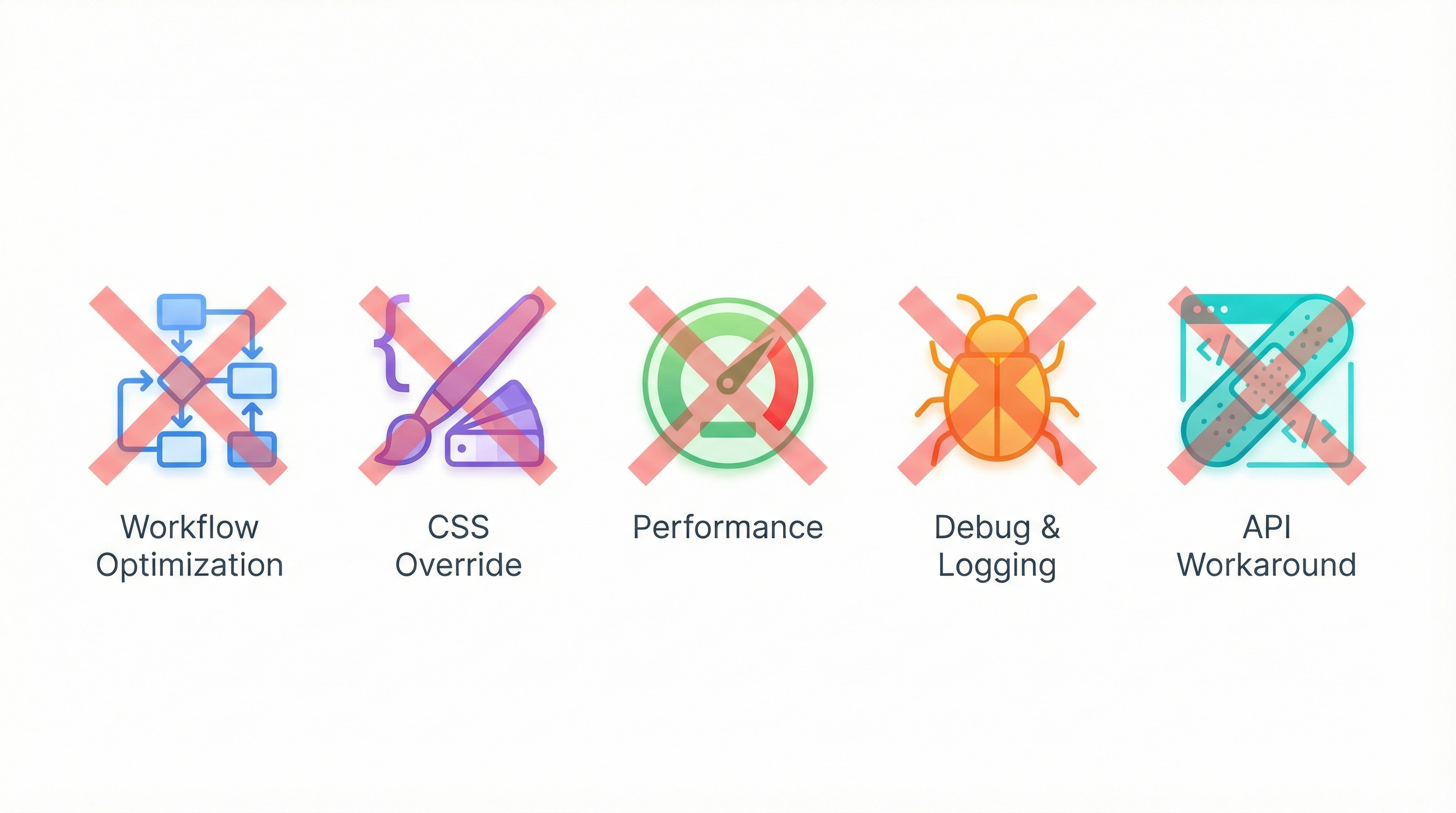
Some Bubble plugins exist only because of Bubble's limitations. These become completely unnecessary in custom code:
Workflow Optimization Plugins
Plugins that help you batch database operations, schedule workflows, or work around Bubble's API limits? Gone. Custom code doesn't have these arbitrary restrictions.
CSS Override Plugins
Plugins that inject custom CSS to fix Bubble's styling limitations? Unnecessary. You'll have full CSS control from the start.
Performance Plugins
Plugins that lazy-load elements or optimize database queries? Native capabilities in any modern framework. React handles lazy loading. Your database has proper indexes.
Debug & Logging Plugins
Plugins that help you debug Bubble workflows? Replaced by actual debugging tools, proper logging, and error tracking services like Sentry.
API Workaround Plugins
Plugins that help you make complex API calls that Bubble's native connector can't handle? You'll just... make the API calls directly.
The Plugins That Need Attention
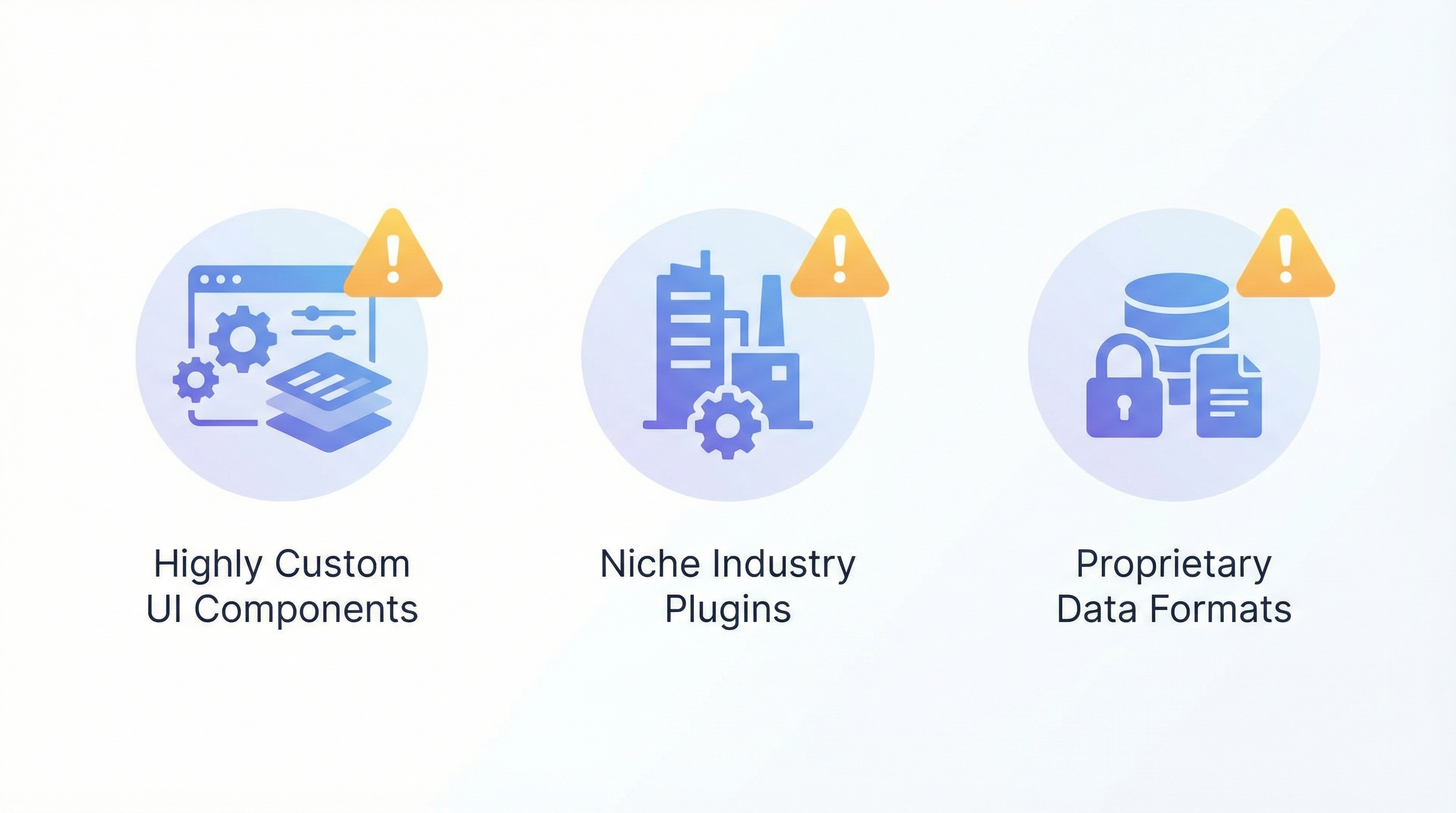
Let's be honest about the categories that require more work:
Highly Custom UI Components
If you've built (or installed) very specialized UI—think custom drag-and-drop builders, complex interactive diagrams, or niche industry tools—these need careful assessment.
The good news: If a plugin exists for it in Bubble, there's almost certainly a React library for it. The ecosystem is 100x larger.
The work involved: Finding the right library, adapting it to your use case, and matching your existing styling. Budget 2-4 hours per complex component.
Niche Industry Plugins
Some industries have Bubble plugins built specifically for them—property management workflows, restaurant ordering, specific CRM integrations. These might not have direct React equivalents.
The approach:
- Check if an official API exists (usually yes)
- If not, check for npm packages
- If not, evaluate rebuilding the logic directly
The reality: Most niche plugins are wrappers around APIs you can call directly. The few that aren't are often so limited that custom code would be an improvement anyway.
Plugins With Proprietary Data Formats
A tiny minority of plugins store data in proprietary formats inside your Bubble database. This creates genuine migration friction—you need to transform the data.
Examples: Some advanced form builders, certain inventory management plugins.
The solution: Part of migration planning involves identifying these plugins and building data transformation scripts. It's solvable, just not automatic.
The Hidden Gain: No More Plugin Roulette
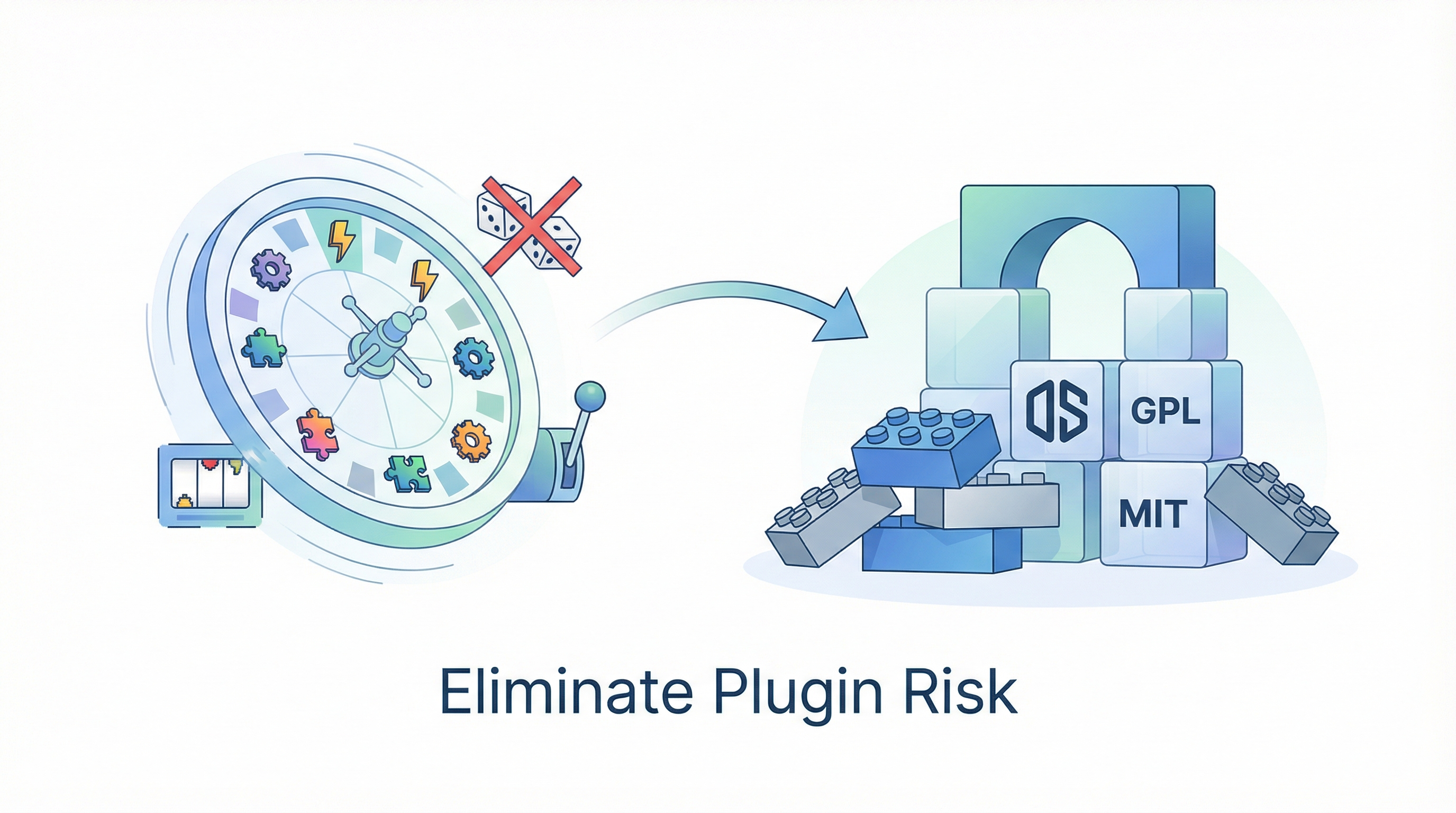
Here's something Bubble users don't talk about enough: plugin risk.
Every plugin in your Bubble app is a dependency on another person:
- Will they update it when Bubble releases a new version?
- Will they fix bugs promptly?
- What if they abandon it?
- What if they change pricing dramatically?
- What if they introduce a breaking change?
"Plugin just stopped working after the Bubble update. Developer hasn't responded in 2 weeks." — Multiple forum threads
This is plugin roulette. You're betting your business on the continued goodwill and attention of plugin developers you don't know.
In custom code, your dependencies are open-source libraries maintained by thousands of developers, used by millions of applications, and battle-tested in production. React isn't going to stop working because its developer got bored. Stripe's SDK isn't going to break because someone forgot to update it.
The mental peace of eliminating plugin roulette is underrated until you've experienced a production outage because a plugin failed.
A Real Migration Example: E-Commerce App
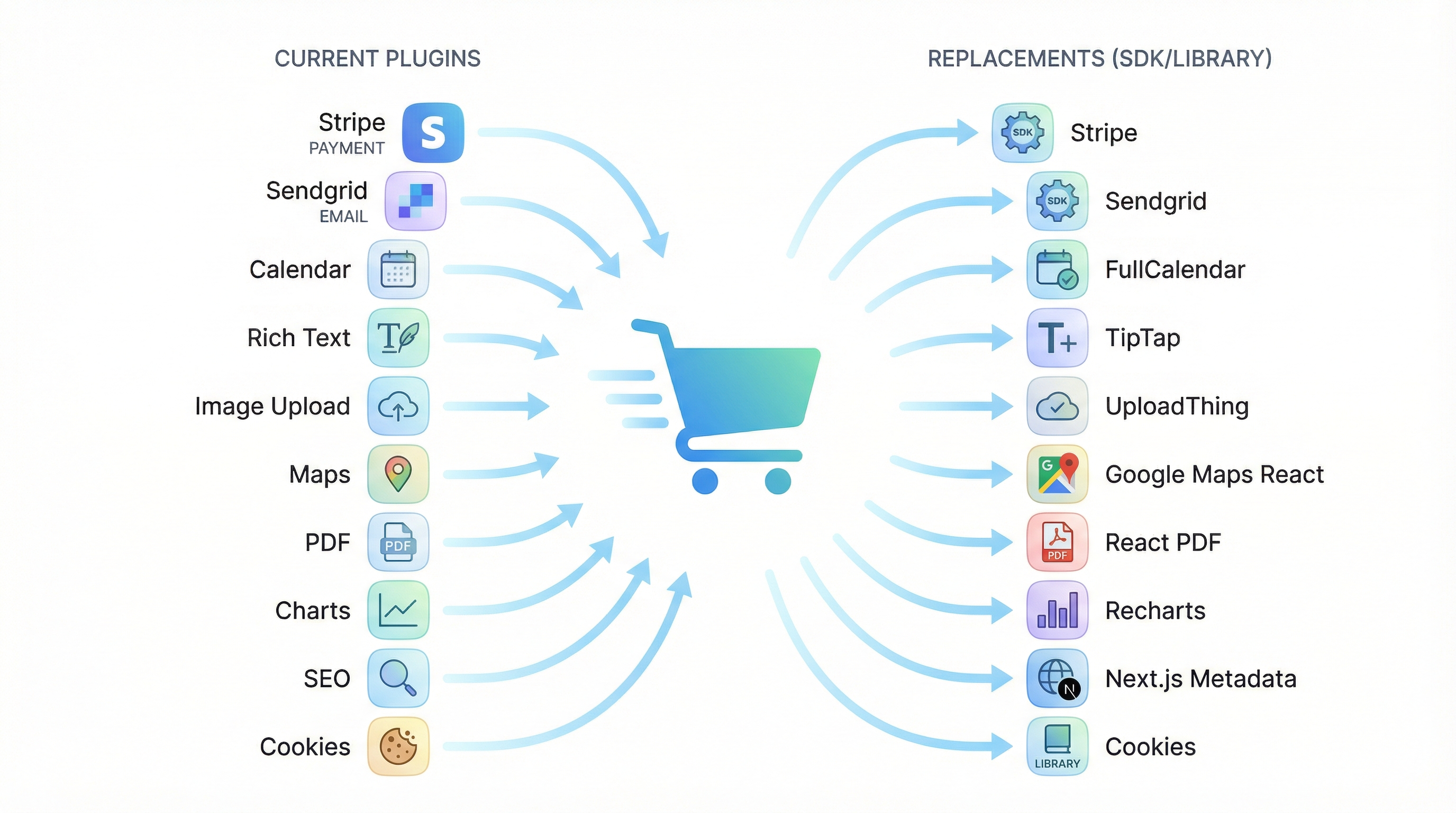
Let's walk through an actual plugin mapping for an e-commerce application:
| Bubble Plugin | Custom Code Replacement | Effort |
|---|---|---|
| Stripe plugin | Stripe SDK | 2-4 hours |
| Sendgrid plugin | Resend or Sendgrid SDK | 1-2 hours |
| Zeroqode Calendar | FullCalendar React | 4-8 hours |
| Rich Text Editor | TipTap | 4-8 hours |
| Image Uploader | UploadThing | 2-4 hours |
| Google Maps | Google Maps React | 2-4 hours |
| PDF Generator | React PDF | 8-16 hours |
| Charts plugin | Recharts | 4-8 hours |
| SEO Meta plugin | Next.js Metadata API | 1-2 hours |
| Cookie consent | Cookie consent library | 1-2 hours |
Total estimated plugin conversion: 29-58 hours
For an app that took months to build, this is not the blocker people fear it will be. Most plugins convert in under a day each.
Questions to Ask About Your Plugins
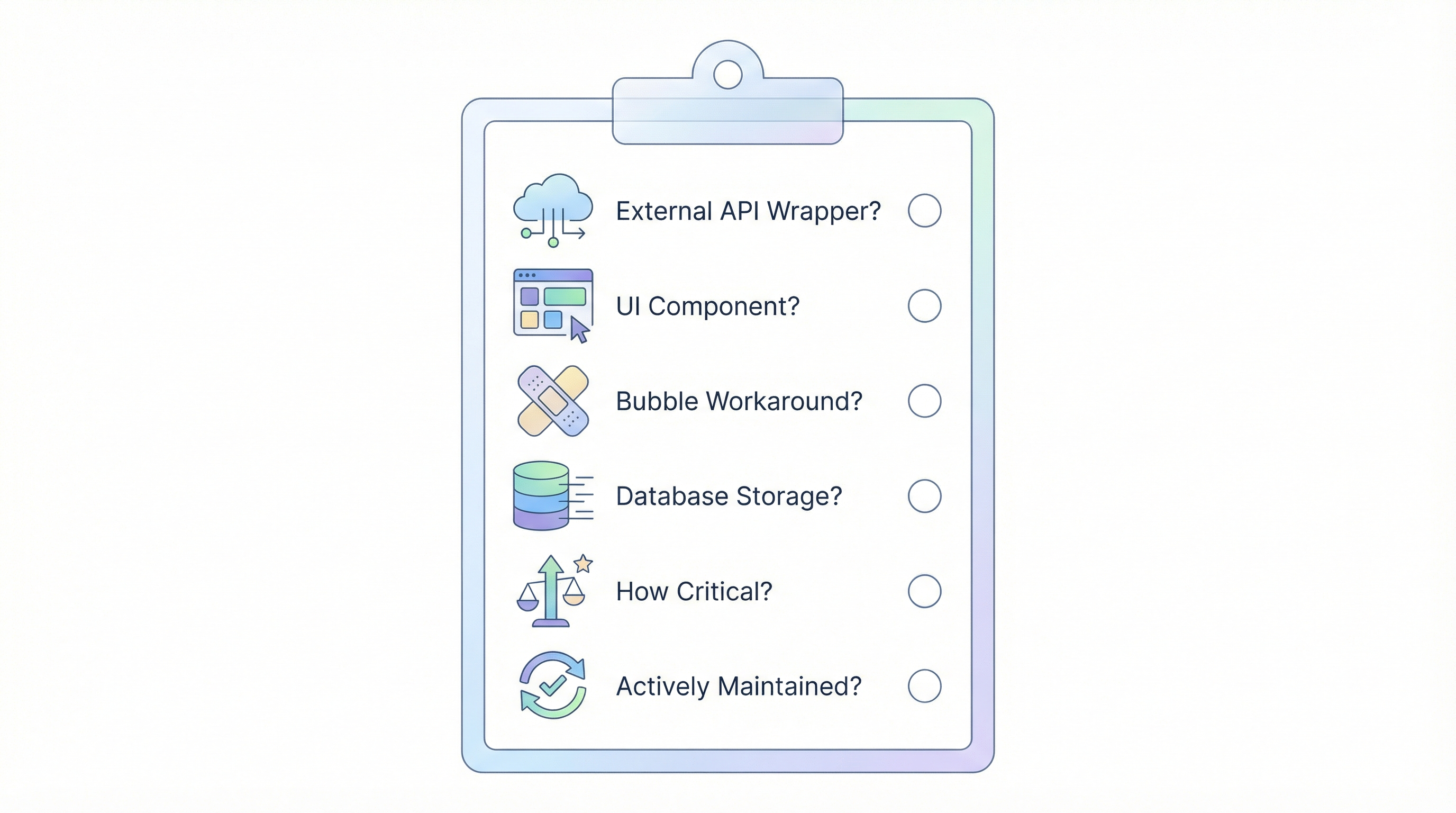
Before migration, audit your plugins with these questions:
-
Does this plugin wrap an external API? If yes, you'll use the official SDK instead. Easy migration.
-
Is this plugin adding UI components? If yes, there's almost certainly a React equivalent. Find it.
-
Does this plugin work around Bubble limitations? If yes, you probably won't need it at all.
-
Does this plugin store data in my database? If yes, check if the format is standard or proprietary.
-
How critical is this plugin? If your app breaks without it, prioritize understanding the replacement early.
-
Is this plugin actively maintained? If not, you're already at risk—migration solves this.
The Bottom Line: Plugins Aren't Your Blocker
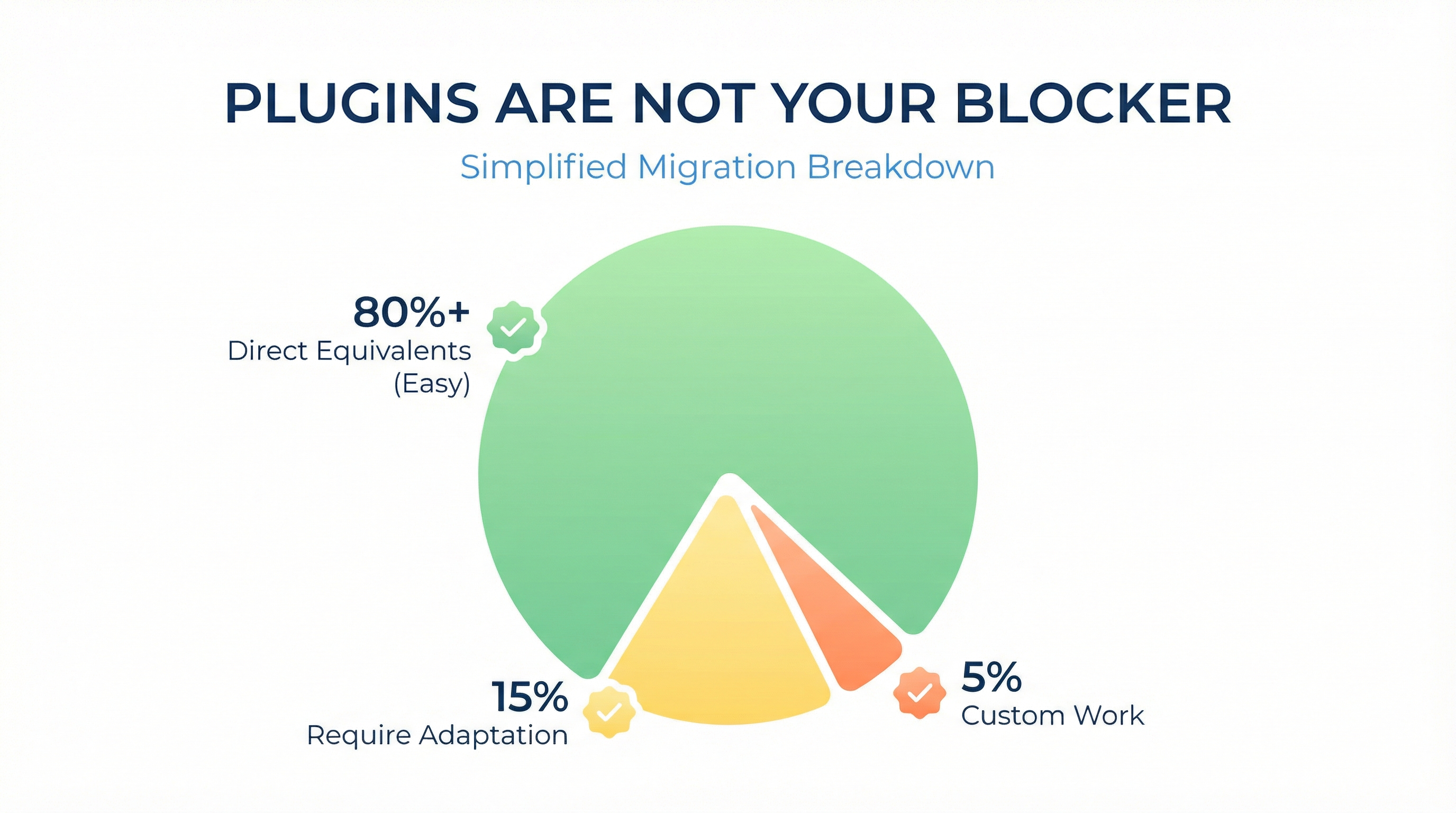
The fear around plugins is understandable but largely unfounded. Here's the reality:
Most plugins (80%+) have direct equivalents that are easier to implement and more powerful.
Some plugins (15%) require adaptation—finding the right library and matching your use case.
A few plugins (5%) need custom work—but this work results in better, faster, more maintainable solutions.
The net result? You'll lose some plugins. You'll gain better alternatives. And you'll eliminate plugin roulette forever.
"I thought my plugins would be the hard part. They were actually the easy part. The hard part was deciding to start." — Client feedback after migration
Your sophisticated UI operations? They're probably using standard web patterns that any competent React developer understands. Your complex workflows? They're clearer in actual code than in Bubble's visual interface.
The plugins aren't the barrier. The decision is the barrier. And you just got the information you need to make it.
Ready to Map Your Plugins?
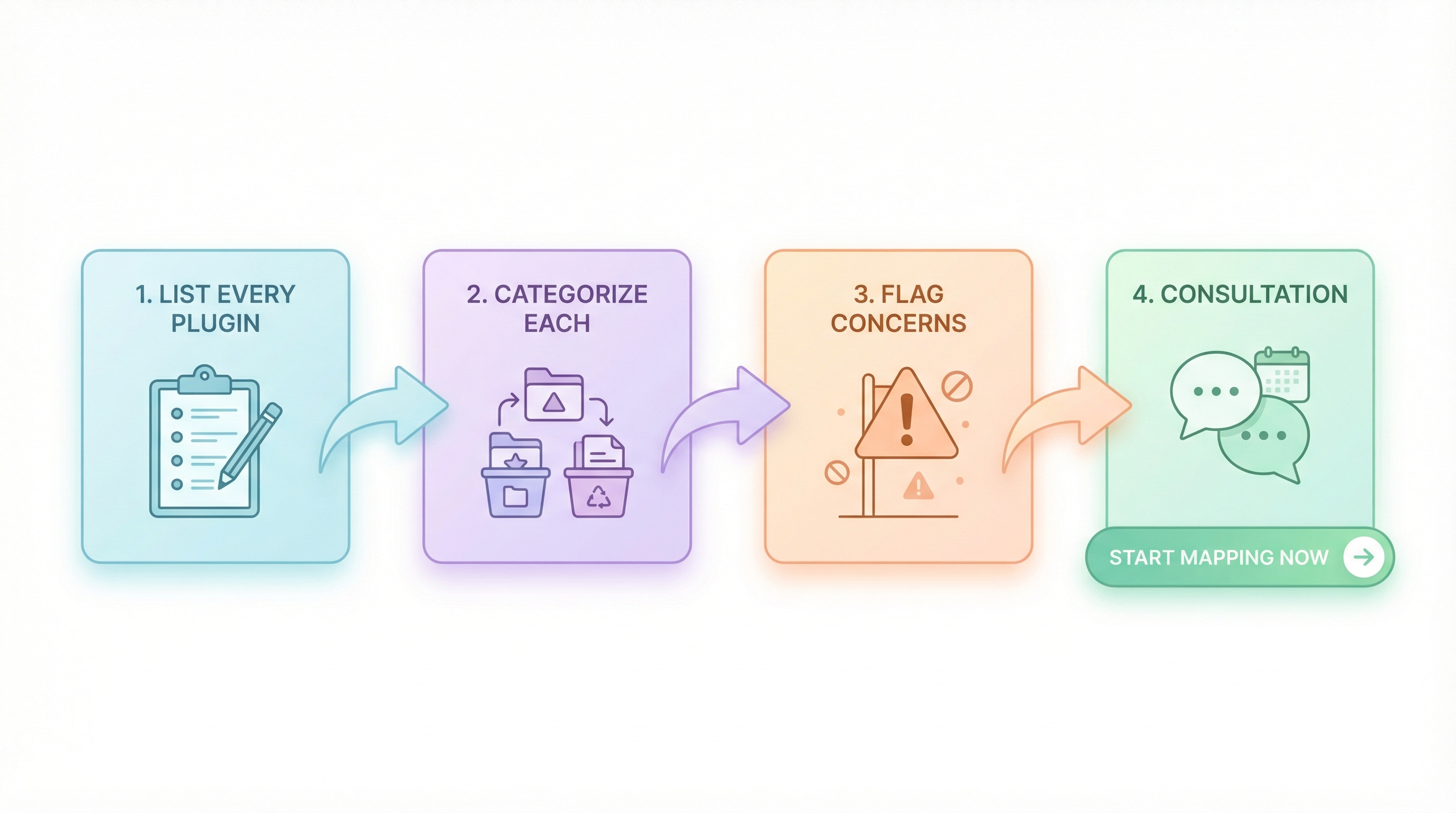
If you're seriously considering migration, here's your next step:
- List every plugin in your Bubble app (Editor → Plugins tab)
- Categorize each one using the matrix in this article
- Flag any concerns using the questions above
- Bring the list to your migration consultation — we'll map every plugin to its replacement
Your plugins aren't holding you hostage. They're a checklist, not a blocker.
Related reading:
Ready to talk migration?
Get a free assessment of your Bubble app. We'll tell you exactly what to expect — timeline, cost, and any potential challenges.