
Cursor vs Bubble: Why AI Coding Changes Everything
You open Cursor for the first time. You type: "Create a user dashboard with authentication, a sidebar navigation, and data cards showing user statistics."
Thirty seconds later, you're looking at working code. Not pseudo-code. Not a mockup. Actual, runnable React code that does exactly what you described.
Your first thought: Wait, that's it?
Your second thought: I spent two weeks building something like this in Bubble.
This moment—the collision between what Bubble taught you was possible and what AI coding tools now deliver—is happening to thousands of no-code builders right now. And it's forcing a fundamental question: Why am I still on Bubble?
"friends build the same app in one week that took me a month in Bubble" — Orbit, Bubble Forum
Orbit spent five years mastering Bubble. Five years learning its workflows, its quirks, its limitations. Then they watched friends—people without Bubble expertise, without coding backgrounds—outpace them using Cursor and Claude.
This isn't a theoretical comparison. This is the lived experience of builders watching the ground shift beneath their feet. Let's break down exactly what's happening, and what it means for your next project (or your current one).
Table of Contents
- The Core Difference: What Cursor and Bubble Actually Are
- Speed Comparison: Building Real Features
- Cost Breakdown: Monthly Bills Over Time
- Performance: What Your Users Actually Experience
- Code Ownership: The Lock-in Question
- Learning Curve: How Long Until You're Productive
- When Bubble Still Makes Sense
- When Cursor Is the Clear Winner
- Making the Switch: From Bubble to Cursor
- Frequently Asked Questions
The Core Difference: What Cursor and Bubble Actually Are
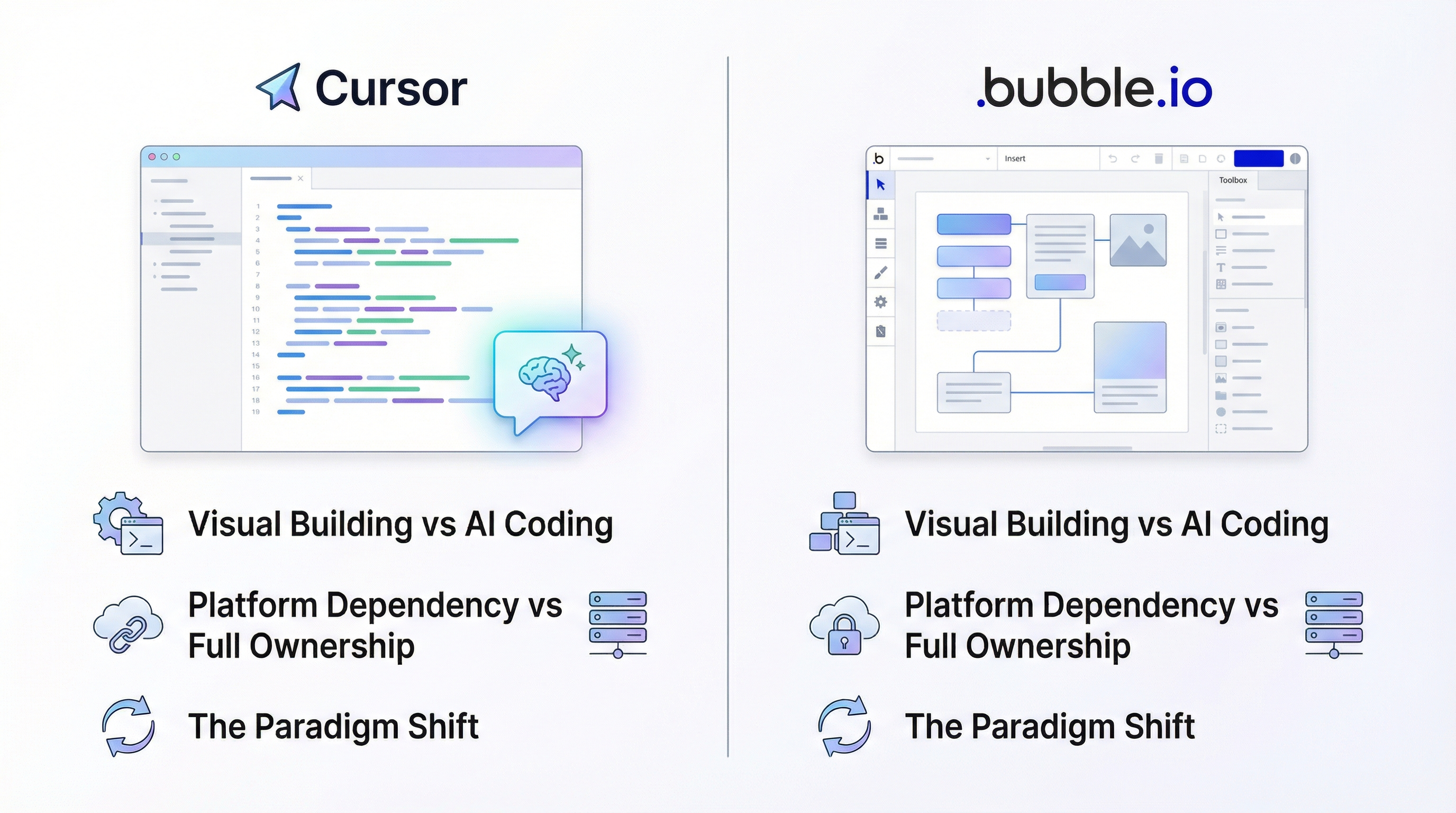
Let's start with clarity on what we're comparing, because they're fundamentally different tools solving the same problem in opposite ways.
Bubble: Visual Building, Platform Dependency
Bubble is a visual development platform. You build by:
- Dragging elements onto a canvas
- Configuring properties through panels
- Creating workflows through visual logic builders
- Connecting to databases through Bubble's proprietary data layer
Everything runs on Bubble's servers. Your app exists as configuration data that Bubble interprets and renders. You don't own code—because there is no code. Your app is instructions that only Bubble can execute.
The trade-off Bubble offered: Skip learning to code, get a working app in weeks, pay monthly for hosting and execution.
Cursor: AI-Assisted Coding, Full Ownership
Cursor is an AI-powered code editor (based on VS Code). You build by:
- Describing what you want in natural language
- Letting AI generate the code
- Running the code locally to see results
- Iterating through conversation with the AI
The output is actual source code—files on your computer that you own completely. You can run this code anywhere: your laptop, Vercel, AWS, a Raspberry Pi. The code is yours.
The trade-off Cursor offers: Engage with code (even if AI writes it), get ownership and performance, pay for the AI tool and cheap hosting.
The Paradigm Shift
Here's what changed: The "learning to code" barrier that made Bubble valuable has collapsed.
Before AI coding tools, the choice was stark:
- Door 1: Learn HTML, CSS, JavaScript, React, Node.js, databases, deployment (6-18 months)
- Door 2: Use Bubble and accept its limitations (2-4 weeks)
Door 2 was obviously faster. Bubble thrived because Door 1 was prohibitively expensive in time and effort.
Now there's Door 3:
- Door 3: Describe what you want, let AI write the code, deploy (2-4 weeks)
Door 3 gives you the speed of Door 2 with the results of Door 1. That's why the equation is changing.
"The speed of development in modern AI-powered IDEs has become too significant for us to ignore." — Orbit, Bubble Forum
Orbit isn't saying Bubble got worse. Bubble is arguably better than ever. But when your competitive alternative improves dramatically, standing still is falling behind.
Speed Comparison: Building Real Features
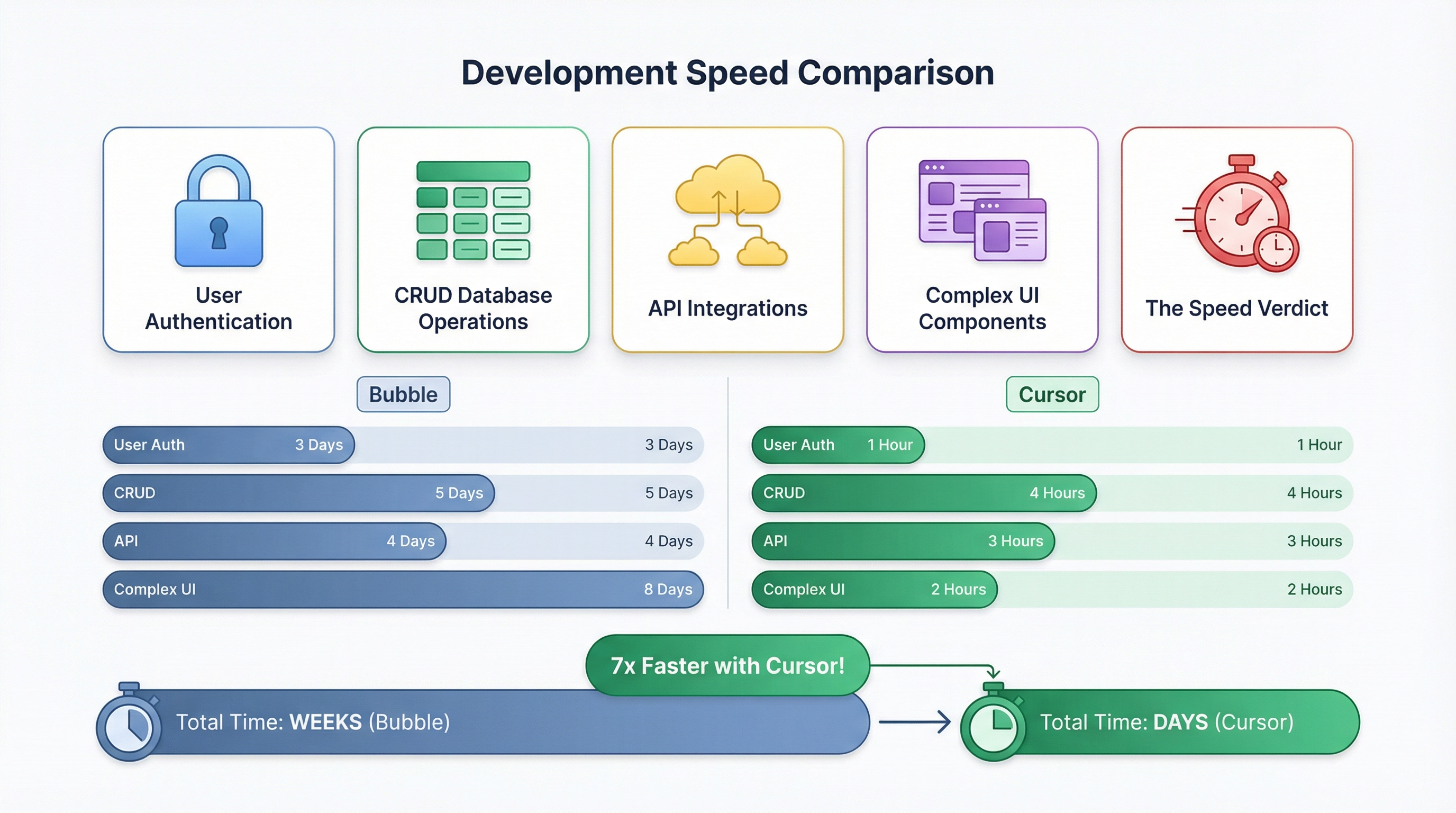
Let's get concrete. Here's how long common features take to build in each tool:
User Authentication
| Task | Bubble | Cursor + Supabase |
|---|---|---|
| Email/password signup | 2-4 hours | 20-30 minutes |
| Google OAuth | 1-2 hours | 10-15 minutes |
| Password reset flow | 1-2 hours | 15-20 minutes |
| Session management | Built-in | Built-in (Supabase Auth) |
| Total auth setup | 4-8 hours | 45-65 minutes |
Why Cursor is faster: Authentication is a solved problem. You tell Cursor "Add Google OAuth using Supabase Auth" and it generates the exact integration code. Bubble requires configuring OAuth settings, creating signup/login workflows, handling redirects—each step through the visual interface.
CRUD Database Operations
| Task | Bubble | Cursor + Supabase |
|---|---|---|
| Create data type/table | 5 minutes | 2 minutes (SQL or UI) |
| Display list of items | 10-20 minutes | 5-10 minutes |
| Create new item form | 15-30 minutes | 5-10 minutes |
| Edit item | 15-30 minutes | 5-10 minutes |
| Delete with confirmation | 10-15 minutes | 3-5 minutes |
| Search/filter | 20-40 minutes | 10-15 minutes |
| Total basic CRUD | 75-140 minutes | 30-52 minutes |
Why Cursor is faster: "Create a table to store blog posts with title, content, author, and published date. Then create a page that lists all posts with search filtering" generates everything in one prompt. In Bubble, you're clicking through multiple screens, configuring each field, setting up each workflow step.
API Integrations
| Task | Bubble | Cursor |
|---|---|---|
| Stripe payments | 2-4 hours | 30-60 minutes |
| SendGrid emails | 1-2 hours | 15-30 minutes |
| Twilio SMS | 1-2 hours | 15-30 minutes |
| Custom REST API | 30-60 minutes | 10-20 minutes |
| Webhook handling | 30-60 minutes | 10-15 minutes |
Why Cursor is faster: Every major API has official SDK libraries. Cursor knows how to use them. You say "Integrate Stripe checkout for a $29/month subscription" and get production-ready code. Bubble requires configuring API connectors, setting up authentication, mapping fields—all through visual interfaces.
Complex UI Components
This is where the gap widens significantly:
| Component | Bubble | Cursor |
|---|---|---|
| Data visualization charts | Plugin required + 1-2 hours | 15-30 minutes (any chart library) |
| Drag-and-drop interface | Plugin required + complex setup | 20-40 minutes (dnd-kit) |
| Real-time collaboration | Extremely difficult | 30-60 minutes (Supabase realtime) |
| Custom animations | Limited options | Full CSS/Framer Motion control |
| Responsive design | Manual breakpoint tweaking | Tailwind classes, instant |
"my bubble app has some pretty sophisticated UI operations that non-bubble devs seem to scratch their heads when trying to replicate" — ericm, Bubble Forum
This fear—that Bubble's visual builder creates UI that's hard to replicate in code—made sense before AI. Now? You describe the interaction, AI implements it. The "sophisticated UI operations" that stumped traditional developers are natural language prompts for AI.
The Speed Verdict
For simple apps (landing pages, basic CRUD, standard features):
- Bubble: 2-4 weeks
- Cursor: 1-2 weeks
For complex apps (custom UI, multiple integrations, advanced features):
- Bubble: 2-4 months
- Cursor: 3-6 weeks
For apps that push boundaries:
- Bubble: Impossible (platform limitations)
- Cursor: Depends on skill, but possible
The gap is real. It's measurable. And it's widening as AI tools improve.
Cost Breakdown: Monthly Bills Over Time
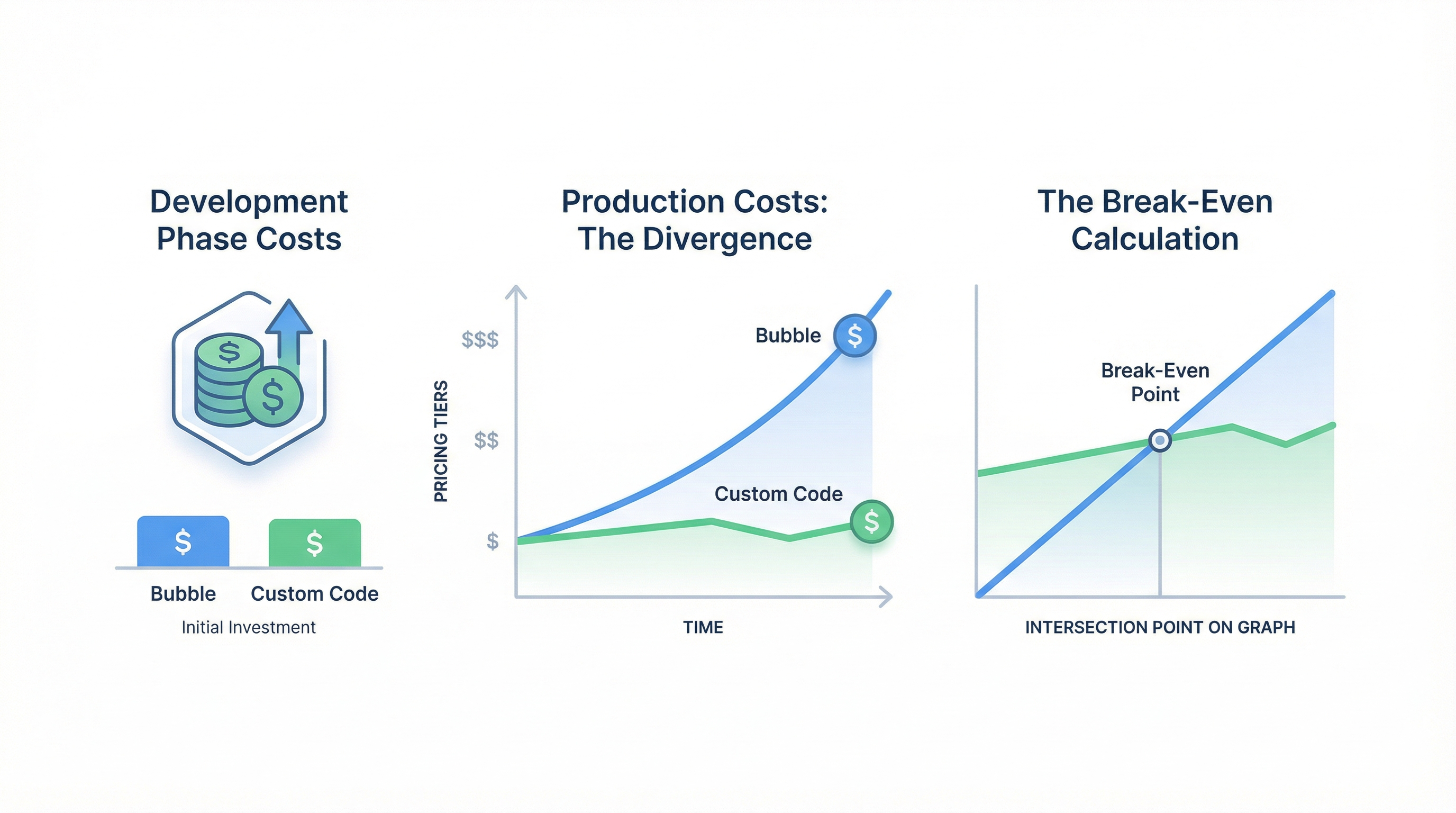
Speed matters, but cost often matters more. Here's the real comparison:
Development Phase Costs
| Item | Bubble | Cursor |
|---|---|---|
| Platform subscription | $32-349/month | $0 |
| AI coding tool | $0 | $20/month (Cursor Pro) |
| AI model access | $0 | $0-20/month (Claude Pro optional) |
| Development database | Included | Free tier (Supabase/Planetscale) |
| Monthly dev cost | $32-349 | $20-40 |
During development, Cursor is cheaper. But development is the short phase. What about production?
Production Costs: The Divergence
Here's where the math gets painful for Bubble:
Bubble's Pricing Tiers (2024-2025):
| Plan | Monthly Cost | Workload Units | Users |
|---|---|---|---|
| Starter | $32 | 50,000 WU | Limited |
| Growth | $134 | 175,000 WU | More |
| Team | $349 | 500,000 WU | Unlimited |
| Enterprise | $749+ | 2M+ WU | Unlimited |
The Workload Unit Problem:
"Everything costs workloads. Conditional statements? Workloads. Navigating a page? Workloads. Searching the database? Workloads." — Bubble Forum
"I was paying $28/month when I started. Now I'm sitting at $225." (with only 10-15 daily users) — eric10, Bubble Forum
Eric's app grew from 0 to 10-15 daily users. His bill grew from $28 to $225. That's an 8x cost increase for modest growth.
Cursor/Custom Code Production Costs:
| Service | Monthly Cost | What You Get |
|---|---|---|
| Vercel (hosting) | $0-20 | 100GB bandwidth, serverless |
| Supabase (database) | $0-25 | 500MB storage, 2GB transfers |
| Auth | Included | Supabase Auth free tier |
| Total | $0-45/month | Handles thousands of users |
The 2-Year Comparison:
Let's model a growing app:
| Scenario | Bubble (2-year cost) | Custom Code (2-year cost) |
|---|---|---|
| Small app (100 MAU) | $768-3,216 | $0-480 |
| Growing app (1,000 MAU) | $3,216-8,376 | $240-600 |
| Scaling app (10,000 MAU) | $8,376-17,976+ | $600-1,200 |
| Large app (50,000+ MAU) | $17,976-$50,000+ | $1,200-3,600 |
"when successful, running on Bubble is 10-100 times more expensive than running on self written code" — sem, Bubble Forum
Sem's math checks out. At scale, the cost disparity becomes absurd.
The Break-Even Calculation
One-time migration cost: $1,500-5,000 (depending on app complexity)
Monthly savings: $100-500+ (depending on current Bubble tier)
Break-even: 3-12 months
After break-even, every month is pure savings. For a Growth-tier Bubble app at $134/month migrating to ~$25/month hosting, the $1,500 entry migration pays for itself in 14 months. The $5,000 complex migration pays for itself in 46 months—less than 4 years.
And these calculations assume Bubble doesn't raise prices again.
Performance: What Your Users Actually Experience
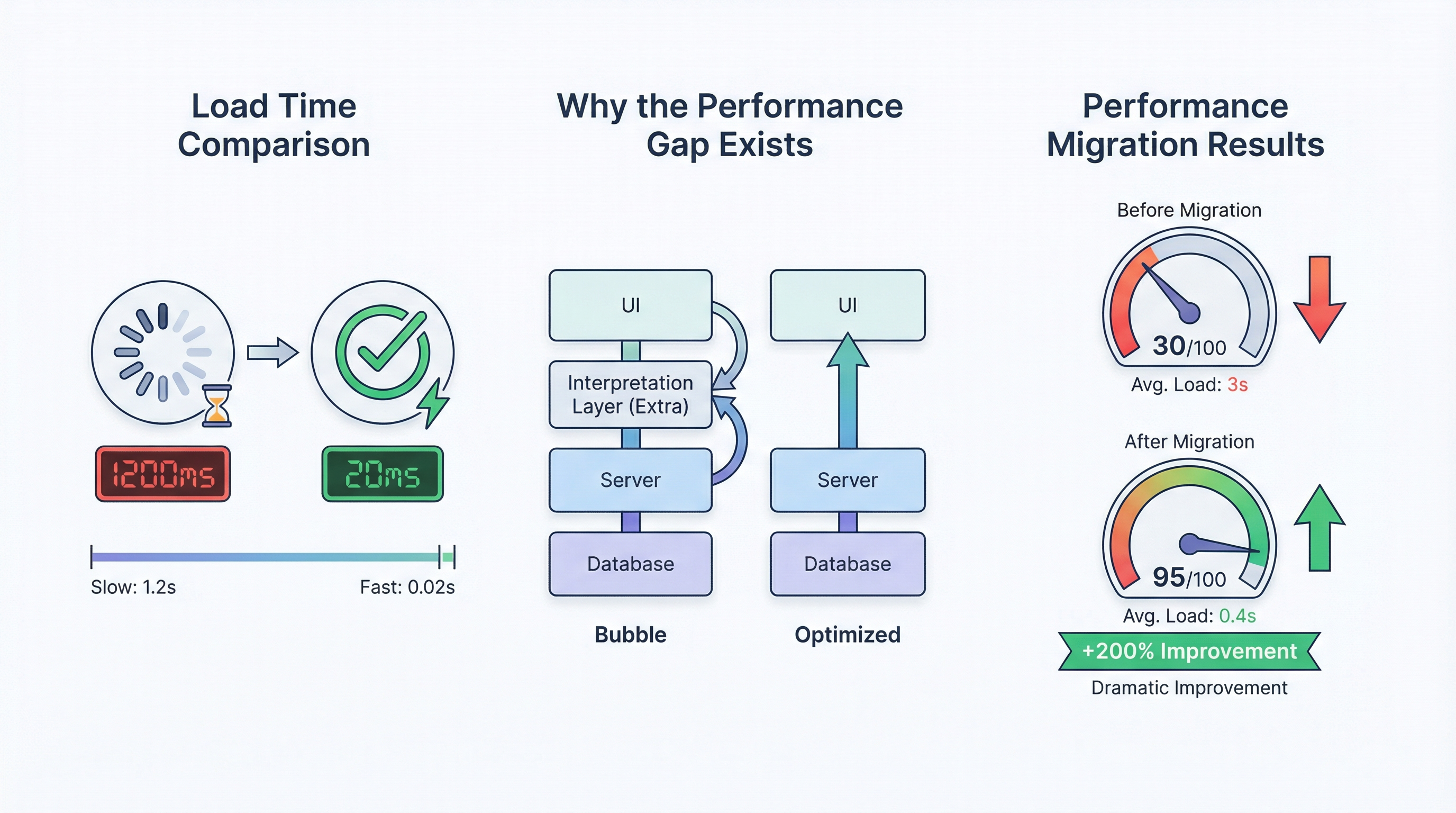
Cost is internal. Performance is what your users feel.
Load Time Comparison
| Metric | Typical Bubble App | Typical Next.js App |
|---|---|---|
| Initial page load | 4-15 seconds | 0.5-2 seconds |
| Navigation between pages | 1-4 seconds | 0.1-0.5 seconds |
| Database query response | 500ms-3s | 50-200ms |
| Mobile load time | 8-30+ seconds | 1-4 seconds |
Real user complaints from the Bubble Forum:
"On my iPhone 14 pro, my app takes on average 8 seconds to load" — thibautranger, Bubble Forum
"takes a solid 30-40 sec on the splash screen before going to index view" — miracle, Bubble Forum
"Airbnb loads in 2.5 seconds, booking.com loads in 1.5 seconds" — thibautranger (comparing to his Bubble app)
"It's dealbreakingly slow." — brenton.strine, Bubble Forum
Users expect apps to load in under 3 seconds. Every second of load time increases bounce rates by roughly 7%. A Bubble app loading in 8 seconds has already lost 35%+ of potential users before they see anything.
Why the Performance Gap Exists
Bubble's Architecture:
- Browser loads Bubble runtime (large JavaScript bundle)
- Runtime interprets your app configuration
- Configuration executes to render the page
- Data fetches go through Bubble's servers
- Results render through the runtime
Custom Code Architecture:
- Browser loads your optimized JavaScript
- Code executes directly
- Data fetches go directly to your database
- Results render immediately
Bubble has an interpretation layer that custom code doesn't need. That layer adds latency to everything. For simple apps, the overhead is tolerable. For complex apps with data-heavy pages, it's brutal.
Performance Migration Results
When apps migrate from Bubble to custom code, the improvements are dramatic:
- Meerako case study: 70% reduction in load times
- Operations that took minutes in Bubble now took seconds
- New architecture handled 100x previous user capacity
You're not optimizing—you're removing fundamental architectural overhead.
Code Ownership: The Lock-in Question
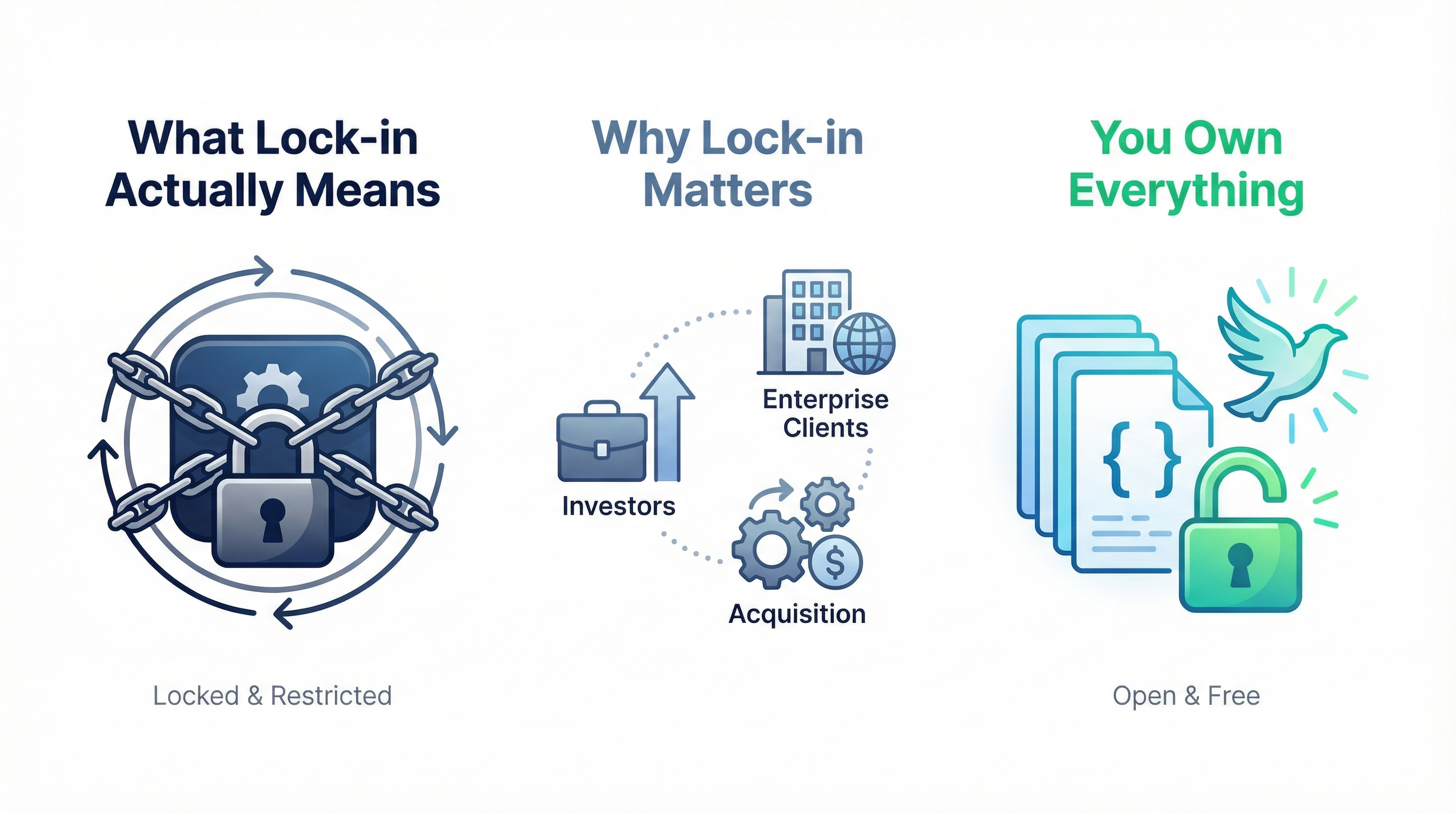
Performance and cost are quantifiable. Lock-in is existential.
What Lock-in Actually Means
"Bubble apps can only be run on the Bubble platform; there's no way of exporting your application as code" — Emmanuel (Bubble co-founder)
This isn't a bug or missing feature. It's the business model. Bubble interprets your configuration. Without Bubble, your configuration is useless data.
What you can export from Bubble:
- Database records (CSV format)
- File uploads (manual download)
- Logs (limited)
What you cannot export:
- Your app's logic
- Your workflows
- Your UI structure
- Your user passwords
- Anything that makes your app... your app
Why Lock-in Matters
For investors:
"to attract investors you need code-export it is very important" — aj11, Bubble Forum
"I've lost over 90% of potential clients because I couldn't offer code ownership." — Orbit, Bubble Forum
Sophisticated investors increasingly view no-code platforms as technical debt. Not because the apps don't work, but because:
- Due diligence can't assess code quality (there is no code)
- Platform dependency is single-vendor risk
- Exit scenarios become complicated
For enterprise clients:
"my client lost a multi-million contract because they ran into compliance issue and they needed the code and DB to be run locally" — vascolucci, Bubble Forum
Enterprise deals often require:
- Self-hosted deployment (compliance/security)
- Code escrow (business continuity)
- Independent security audits (SOC 2, HIPAA)
Bubble's cloud-only architecture can't satisfy these self-hosting and on-premises requirements. Multi-million contracts walk away.
For acquisition:
When someone buys a software company, they're buying:
- The user base
- The revenue
- The technology
A Bubble app has the first two but not the third. Acquirers either need to rebuild the technology or accept permanent platform dependency. This significantly reduces acquisition value.
Cursor/Custom Code: You Own Everything
With Cursor-built apps:
- Code lives on your computer/repository
- You choose where to host
- You can hire any developer to modify it
- You can show code to investors
- You can satisfy enterprise compliance
- You can be acquired cleanly
The code is yours. Period.
Learning Curve: How Long Until You're Productive
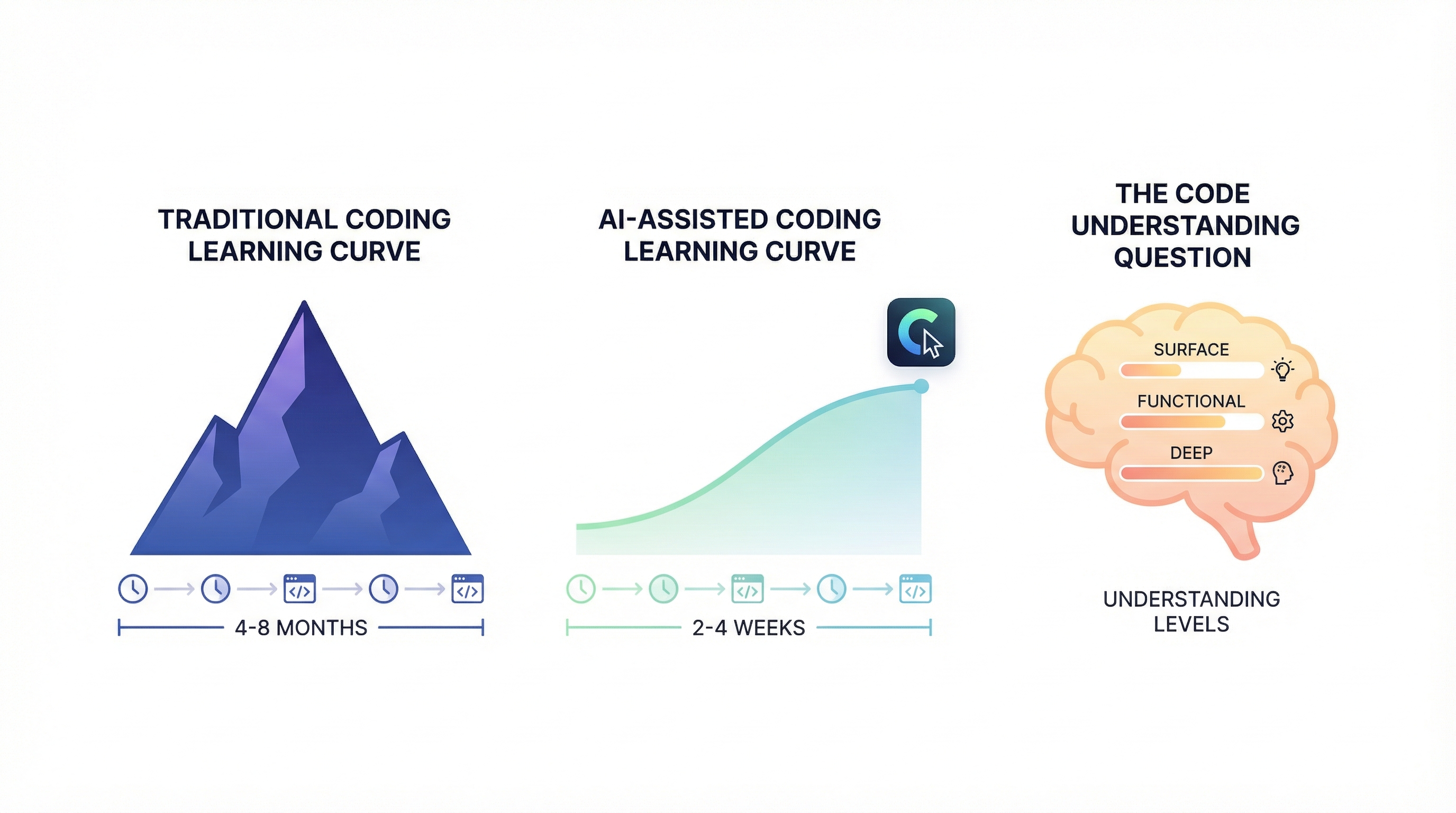
The classic objection: "But I don't know how to code."
Let's examine what "knowing code" means in the AI era.
Traditional Coding Learning Curve
Without AI assistance, becoming productive in web development requires:
| Skill | Time to Basic Competence |
|---|---|
| HTML/CSS | 2-4 weeks |
| JavaScript basics | 4-8 weeks |
| React fundamentals | 4-6 weeks |
| Backend concepts | 4-8 weeks |
| Database design | 2-4 weeks |
| Deployment | 1-2 weeks |
| Total | 17-32 weeks (4-8 months) |
This is why Bubble succeeded. Four to eight months is a massive barrier.
AI-Assisted Coding Learning Curve
With Cursor and modern AI tools:
| Skill | Time to Basic Competence |
|---|---|
| Using Cursor/IDE | 1-3 days |
| Describing what you want | Already know this |
| Understanding AI output | 1-2 weeks (improves with practice) |
| Debugging with AI help | 1-2 weeks |
| Deployment (Vercel) | 1 day |
| Total | 2-4 weeks |
Notice what's missing: You don't need to learn syntax. You don't need to memorize frameworks. You don't need to understand algorithms.
You need to:
- Clearly describe what you want
- Recognize when the output is wrong
- Iterate toward the correct solution
These are skills you likely already have from building with any tool—including Bubble.
The "Code Understanding" Question
"But if AI writes the code, do I actually understand my app?"
Honest answer: You understand it at the level you need to.
A Bubble expert understands their app at the workflow level, not at the "how does Bubble's runtime interpret my configuration" level. Similarly, a Cursor user understands their app at the feature level, not necessarily at the "how does React's reconciliation work" level.
Understanding deepens with experience. Every time AI explains an error, you learn. Every time you read generated code to verify it does what you want, you learn. Understanding isn't binary—it's a gradient that increases with exposure.
Practical competence timeline:
| Milestone | Timeline |
|---|---|
| First working page | Day 1 |
| Complete simple CRUD app | Week 1-2 |
| Handle common patterns confidently | Week 3-4 |
| Debug most issues independently | Month 2-3 |
| Build complex features comfortably | Month 3-6 |
Compare this to Bubble's learning curve (2-6 weeks to basic competence, 6-12 months to expert). The timelines are similar, but the ceiling with Cursor is unlimited.
When Bubble Still Makes Sense
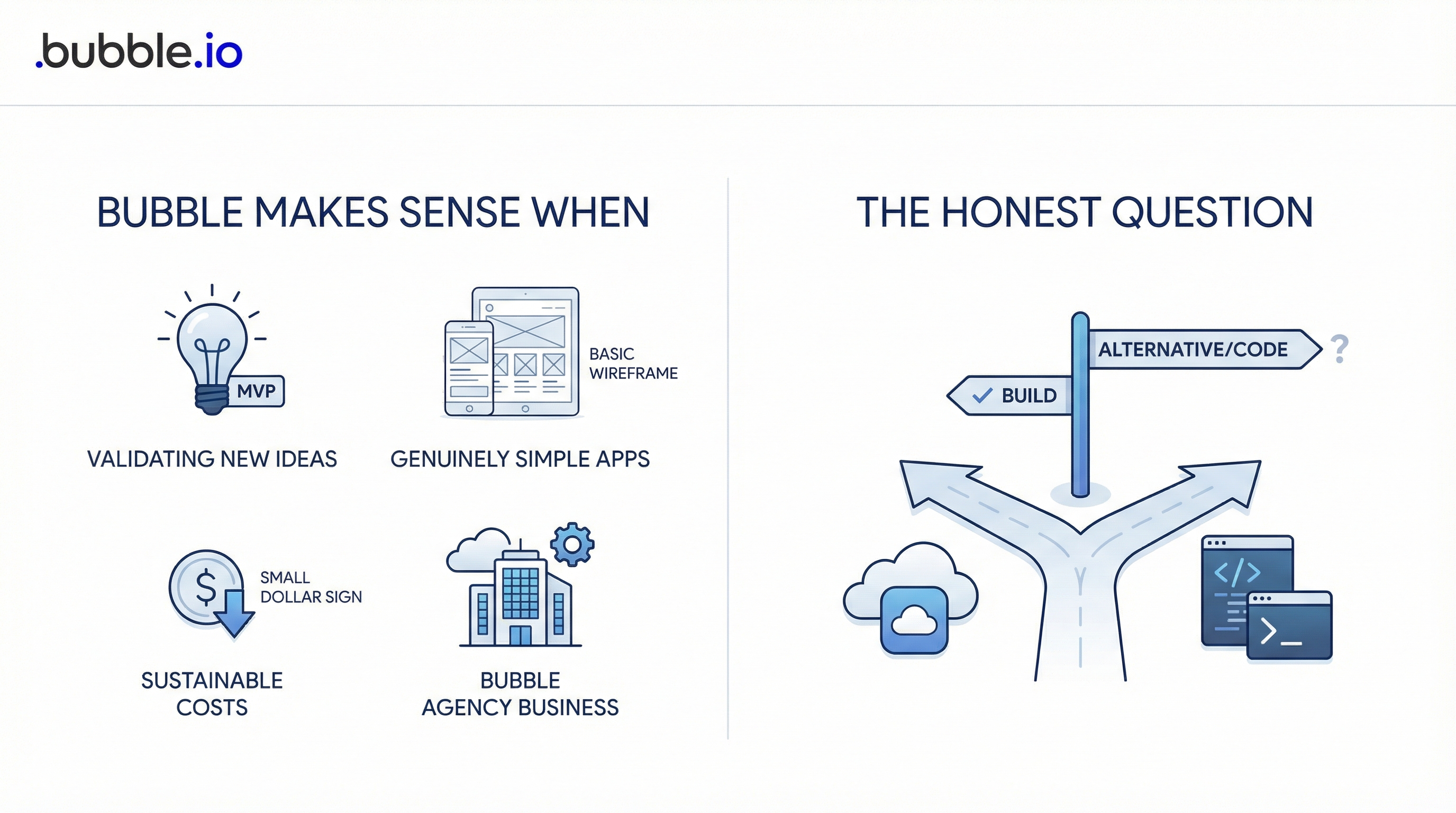
We've been hard on Bubble. Let's be fair: it's not dead, and it's not wrong for everyone.
Bubble Makes Sense When:
You're validating a brand-new idea: If you're testing whether anyone wants your product, Bubble's speed to MVP is still valuable. Build the ugliest possible thing that works, get users, validate demand. If it works, migrate. If it doesn't, you haven't invested much.
Your app is genuinely simple: A basic directory, simple booking system, or internal tool with 5-10 users? The overhead of setting up a development environment might exceed the overhead of Bubble's limitations. Keep it simple, keep it cheap.
You truly cannot engage with code: Some people have a deep mental block around anything that looks like code. If even AI-written code causes anxiety that prevents productivity, Bubble's visual interface removes that friction. Know yourself.
Costs are sustainable: If you're on the Starter plan at $32/month, your app is stable, and you're not hitting limitations—there's no urgent reason to migrate. Don't fix what isn't broken.
You're a Bubble agency: If your business model is building Bubble apps for clients, your expertise is valuable. Not every client needs custom code. Serve the market that exists.
The Honest Question
Ask yourself: If you were starting today, with no sunk cost in Bubble, would you choose Bubble or Cursor?
If the answer is Cursor, the follow-up question is: What's keeping you on Bubble, and is that reason getting stronger or weaker over time?
When Cursor Is the Clear Winner
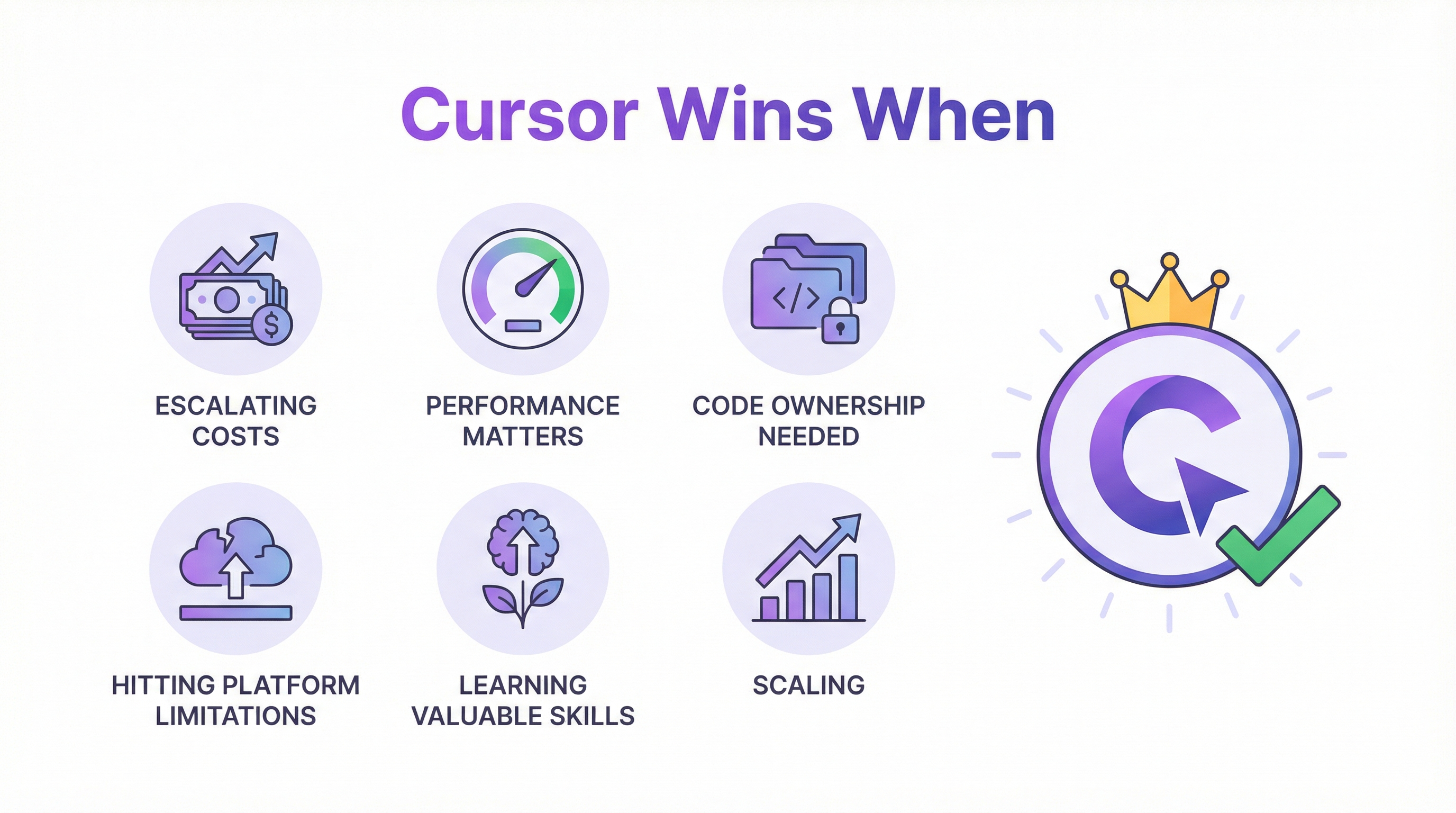
Cursor Wins When:
Costs are escalating: The workload unit nightmare is real. If your monthly bill is climbing faster than your revenue, the math only gets worse.
"7 million workload units used in less than 12 hours! A big fat auto charge bill on the credit card of $1000." — mitchbaylis, Bubble Forum
Performance matters to your users: If you're building consumer-facing apps where speed affects conversion, Bubble's architecture is a liability. You can optimize Bubble apps, but you can't remove the interpretation layer.
You need code ownership: Investors, enterprise clients, potential acquirers—anyone doing due diligence will ask about code ownership. "It runs on Bubble" is increasingly not an acceptable answer.
You're hitting platform limitations: Complex integrations, advanced UI interactions, specific compliance requirements—when you need something Bubble doesn't support, you're stuck. Custom code has no ceiling.
You want to learn valuable skills: AI-assisted coding is becoming a baseline skill. Learning it now positions you for a future where everyone uses AI tools. Bubble expertise is platform-specific; coding fundamentals are universal.
You're scaling: At some point, every successful Bubble app faces a decision: stay and pay premium costs for limited performance, or migrate and unlock standard infrastructure economics. The question is when, not if.
Making the Switch: From Bubble to Cursor
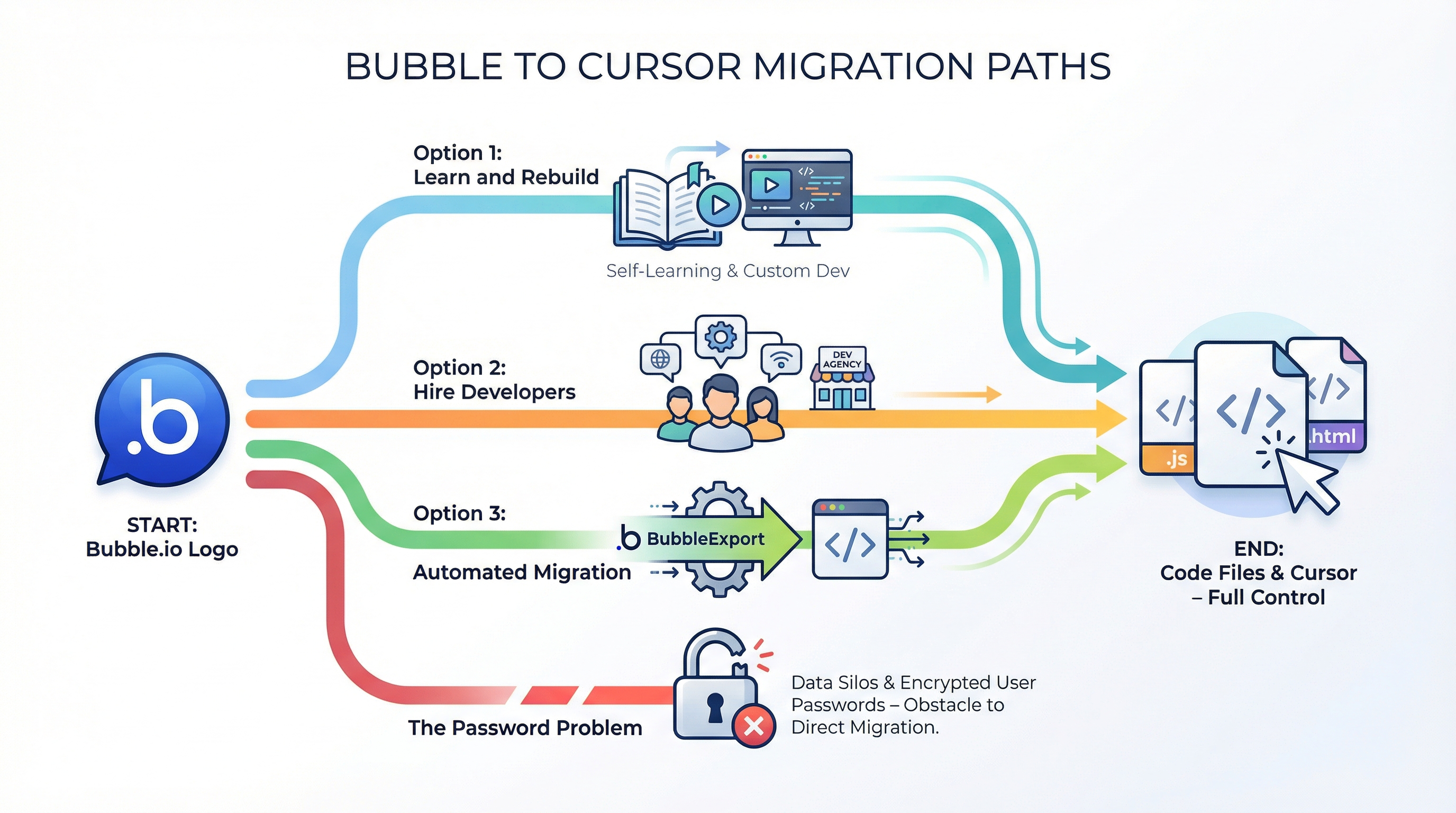
If you've decided to move, here's the practical path:
Option 1: Learn and Rebuild
Best for: Builders who want to learn, smaller apps, lots of time
Process:
- Set up Cursor and connect to Claude/GPT-4
- Create a new Next.js project (Cursor can help)
- Start with one feature, get it working
- Add features incrementally
- Set up Supabase for database
- Migrate data manually
- Deploy on Vercel
Timeline: 4-12 weeks Cost: Your time + $20-40/month for tools Learning: Maximum
Option 2: Hire Developers
Best for: Funded startups, complex apps, no desire to learn
Process:
- Document current functionality thoroughly
- Find and vet developers/agencies
- Manage the rebuild project
- QA extensively
- Migrate users
Timeline: 2-6 months Cost: $25,000-$200,000+ Risk: Developer quality varies wildly
Option 3: Automated Migration
Best for: Production apps, faster timeline, existing logic preservation
Process:
- Export your Bubble app structure
- Professional conversion to Next.js/React
- Database migration to PostgreSQL
- Auth handling (the hard part)
- Deploy and verify
This is what we do at BubbleExport. We convert your actual Bubble app—logic, UI, data—to production-ready custom code.
Timeline: 1-8 weeks Cost: $1,500-$5,000 Risk: Lower—your existing app is the spec
The Password Problem
Quick note on the migration fear everyone has:
"You can't export passwords" — will_ericksson, Bubble Forum
True. But solvable:
- Password reset on first login: Users set new password, minor friction
- Social auth users: No password to migrate anyway
- Shadow migration: Capture passwords during transition period
Don't let the password problem block your decision. It's a solved problem.
The Bigger Picture: Where This Is All Going
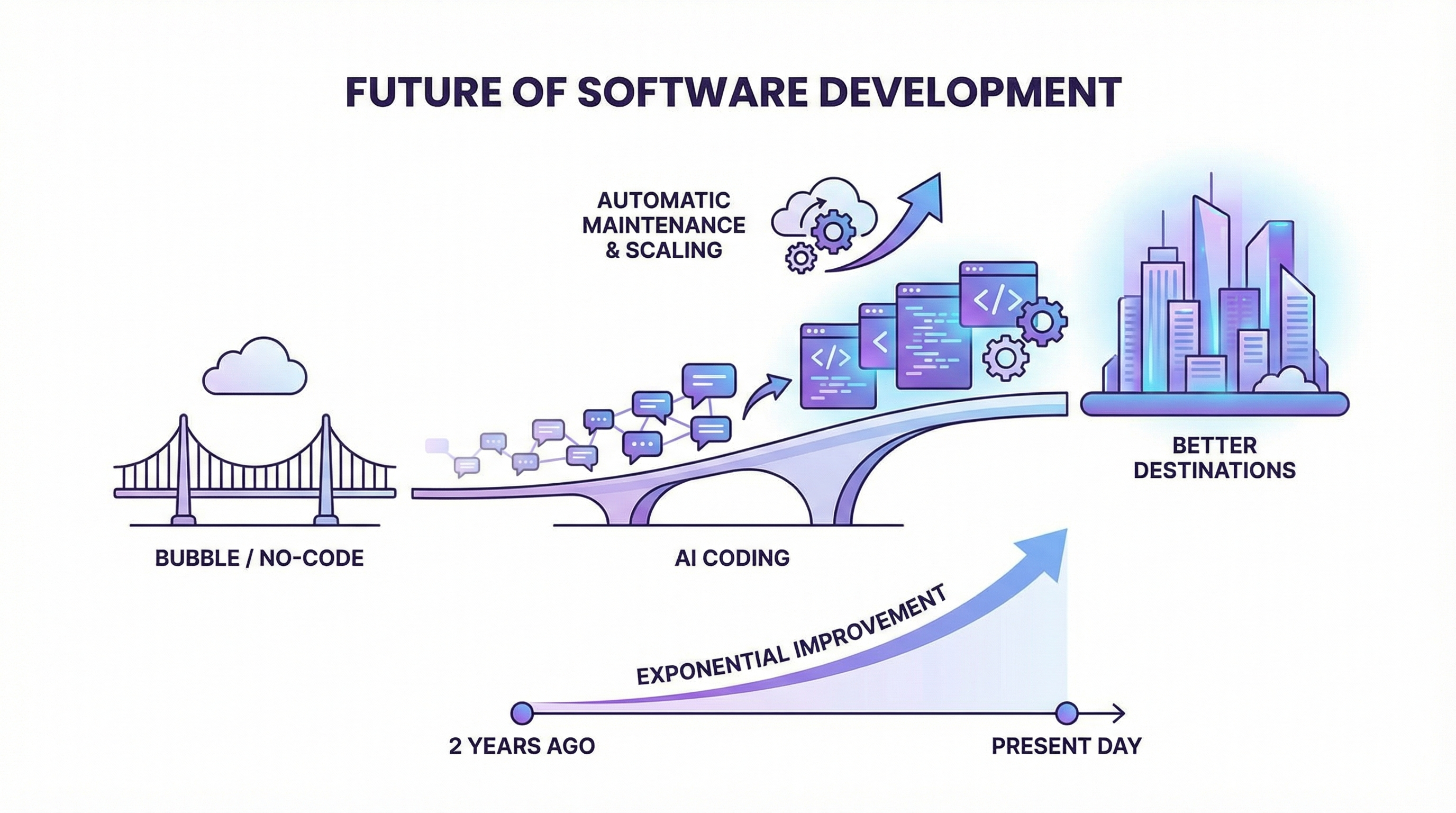
Zoom out for a moment.
AI coding tools are approximately 2 years old in their current form. They're improving monthly—sometimes weekly. The capabilities available today are a floor, not a ceiling.
What happens when:
- AI can build entire apps from a conversation?
- AI can maintain and update apps automatically?
- AI can handle deployment, scaling, security by default?
We're heading there. The question isn't whether AI changes software development—it already has. The question is whether you're positioned to benefit or be disrupted.
Bubble was a bridge to building software without traditional coding skills. AI coding tools are a better bridge—wider, faster, leading to better destinations.
"If AI can build anything you want in seconds, on a dollar per month hosting plan, why would you pay bubble 10 or 100x?" — sem, Bubble Forum
This question doesn't have a good answer anymore. The rationale for Bubble's trade-offs has eroded. What remains is inertia, sunk costs, and the discomfort of change.
Those aren't reasons. They're obstacles. And obstacles can be overcome.
Frequently Asked Questions
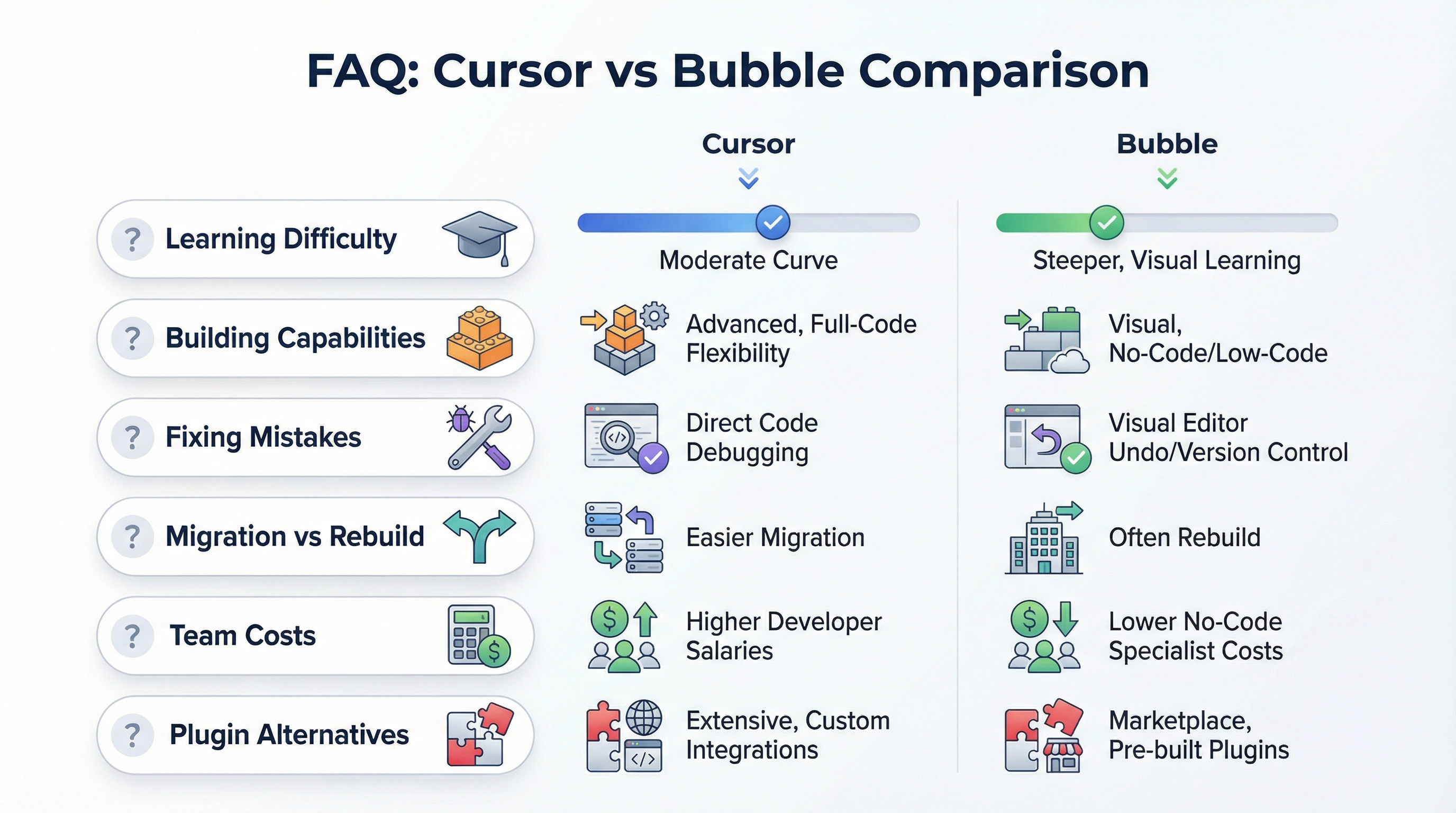
Is Cursor hard to learn if I've only used Bubble?
No. If you can clearly describe what you want your app to do—which you proved by building in Bubble—you can use Cursor. The AI handles the code; you handle the product vision. Most Bubble builders become productive in Cursor within 2-4 weeks. The learning curve is similar to learning a new no-code tool.
Can Cursor really build the same things as Bubble?
Yes, and more. Everything Bubble does—databases, authentication, workflows, UI—has equivalent (usually better) solutions in code. And unlike Bubble, you're not limited to what the platform supports. Complex animations, advanced integrations, custom algorithms—there's no ceiling.
What if I build something wrong with AI-generated code?
AI tools like Cursor are excellent at fixing mistakes. Describe what's wrong, and the AI will debug and fix it. This is no different from hitting issues in Bubble and troubleshooting through the forums. The iteration cycle is actually faster with AI because you can ask "why isn't this working?" and get an explanation.
Should I migrate my existing Bubble app or start fresh with Cursor?
It depends on your app's complexity and your goals. For simple apps where you want the learning experience, rebuilding in Cursor teaches valuable skills. For complex production apps with users, professional migration preserves your existing logic and reduces risk. Many founders do both—migrate their current app professionally while learning Cursor for future projects.
How does the cost compare for teams?
Cursor Pro is $20/user/month. Bubble team plans start at $349/month for the Team tier. For a 3-person team over a year: Cursor is $720, Bubble is $4,188+. Cursor is about 6x cheaper for team development, before accounting for production hosting costs where the gap widens further.
What happens to my Bubble plugins when I migrate?
Bubble plugins don't transfer, but their functionality does. Most plugins replicate standard libraries (Stripe, charts, calendars, etc.) that are trivial to implement in code. AI tools know these integrations well. The "my app relies on plugins" fear is usually unfounded once you see how easily the same functionality appears in code.
Ready to explore your options? Whether you're curious about Cursor for a new project or considering migrating an existing Bubble app, book a free consultation to discuss your specific situation.
Further reading: Why AI Coding Is Making Bubble Obsolete, Should I Stay on Bubble or Migrate? A Decision Framework
Ready to talk migration?
Get a free assessment of your Bubble app. We'll tell you exactly what to expect — timeline, cost, and any potential challenges.