
Bubble Data Migration: How to Export 3+ Million Records Without Losing Your Mind

You're staring at your Bubble database, and the numbers don't lie.
Three million records. Maybe more. Orders, users, products, transactions, messages—years of data accumulated one row at a time. Data that represents your entire business.
And now you need to move it somewhere else.
"Migrating data out of Bubble is such a pain from someone who had to migrate over 3 million records" — stuart8, Bubble Forum
Stuart8 isn't exaggerating. He's describing a reality that every Bubble founder with a successful app eventually faces. The platform that made it easy to build also makes it painful to leave.
"the lock in that Bubble has on your data is super frustrating" — stuart8, Bubble Forum
If you're reading this, you've probably already discovered the frustrating truth: Bubble's architecture doesn't include robust data export tools. The platform was designed with the assumption that your app stays on Bubble — so moving data out requires significant effort.
There's no "Export All Data" button. No database dump to PostgreSQL. No migration wizard that understands your custom types and relationships.
Just you, 3 million records, and a deadline.
This guide walks you through exactly how to migrate large Bubble databases—the pitfalls we've seen, the strategies that work, and the specific technical steps to preserve every record, relationship, and file your business depends on.
Why Large-Scale Bubble Data Migration Is So Painful
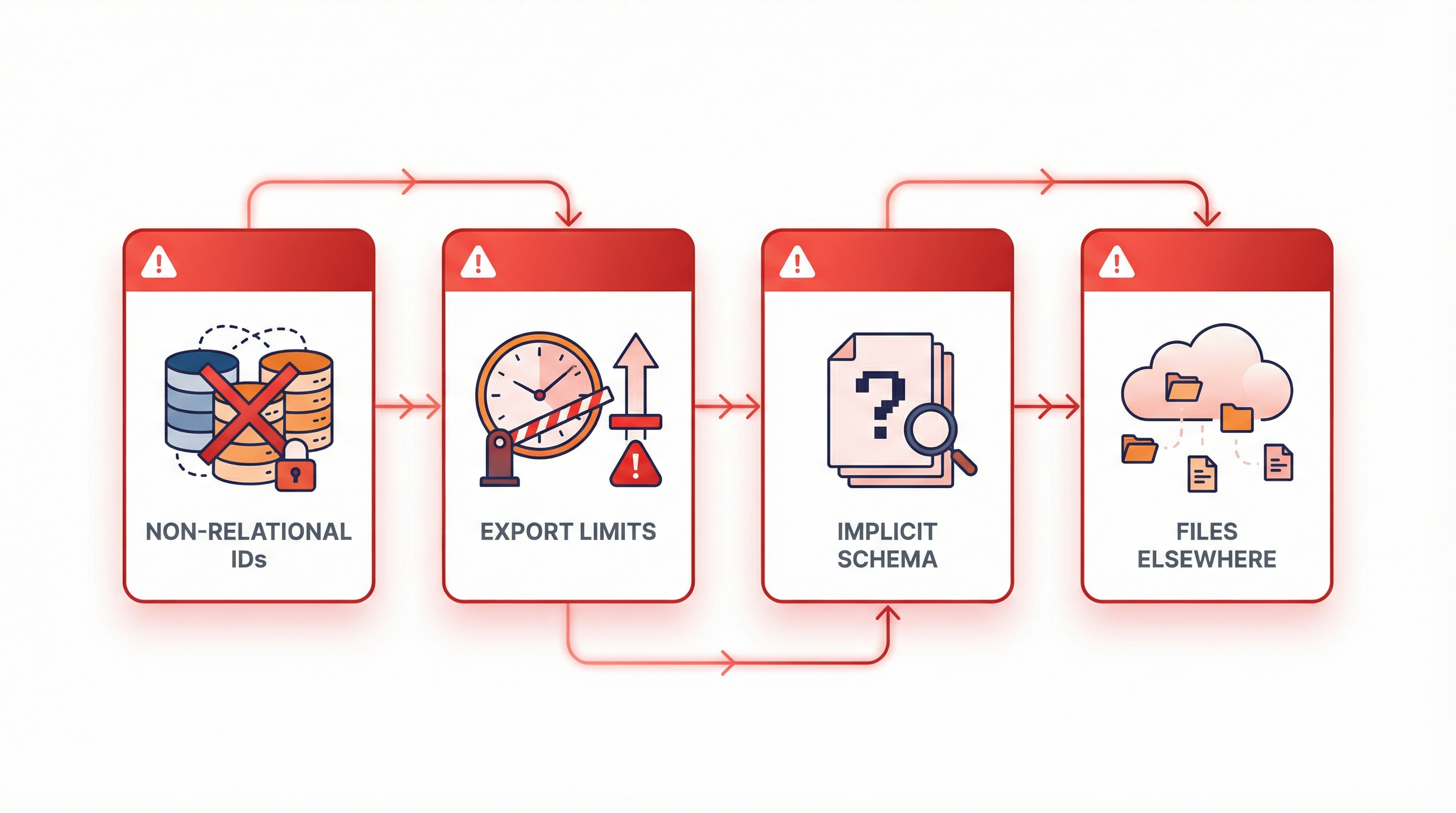
Let's be clear about why this is hard. It's not that Bubble is trying to trap you (well, not entirely). It's that Bubble's database architecture is fundamentally different from traditional databases.
Problem 1: Bubble Doesn't Use Traditional Relational IDs
When you create a relationship in MySQL or PostgreSQL, you link tables using foreign keys. Order #1234 belongs to User #567. Simple, clean, universally understood.
Bubble does something different:
"tables in Bubble works as Objects, because we relate each table with a reference to the other, not with single Ids like relational databases" — cdmunoz, Bubble Forum
In Bubble, a relationship isn't a number pointing to another row. It's a reference to an object. Internally, Bubble uses its own unique identifier system (those long alphanumeric strings you see in URLs).
When you export data, you get these Bubble-specific IDs. Your new database won't understand them. You need to:
- Map every Bubble ID to a new database ID
- Update every relationship to use the new IDs
- Maintain referential integrity throughout
At 100 records, this is tedious. At 3 million, it's a project in itself.
Problem 2: Bubble's Export Has Limits
Bubble's built-in CSV export works fine for small datasets. Download a table, import it somewhere else. Done.
But with millions of records, you hit walls:
Rate limits: Bubble throttles how fast you can export. Exporting 3 million records through the built-in interface can take days.
Memory limits: Large exports often time out or fail entirely. You'll see cryptic errors about request limits.
Pagination nightmares: You need to export in chunks (1,000-10,000 records at a time), then stitch them back together without duplicates or gaps.
No real-time sync: Your live app keeps writing data while you're exporting. By the time you finish, your export is already stale.
Problem 3: Your Data Model Is Implicit
In a traditional database, you write SQL schema definitions. You know exactly what your tables look like, what types each column holds, what the constraints are.
In Bubble, your schema is... whatever you built in the visual editor over the past two years. Maybe you renamed things. Maybe you have unused fields. Maybe you have fields that hold different types depending on when the record was created.
Before you can migrate, you need to understand your own data model—and probably clean it up.
Problem 4: Files Live Somewhere Else
User uploads, profile photos, documents—they're not stored in Bubble's database. They're stored in Bubble's CDN (Amazon S3 under the hood).
When you export database records, you get URLs pointing to those files. But those URLs are tied to your Bubble app. When you shut down Bubble, the files become inaccessible.
You need to:
- Download every file before migration
- Upload them to your new storage (S3, Cloudflare R2, etc.)
- Update every database reference to the new URLs
For apps with millions of user-uploaded files, this alone can take weeks.
The Five-Phase Data Migration Process
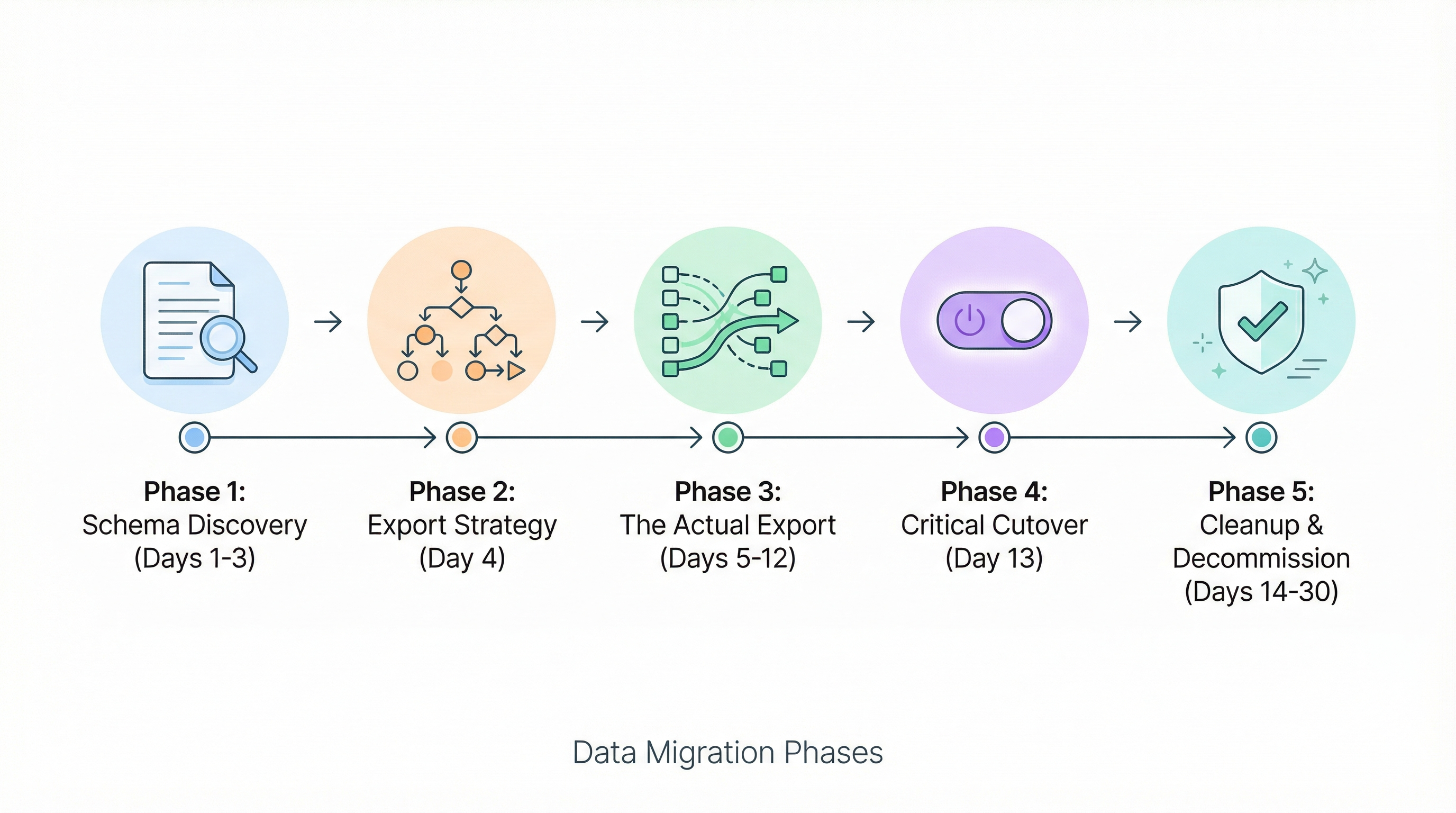
Here's the process we've developed after dozens of large-scale migrations. It's not quick—plan for 2-4 weeks of active work—but it's reliable.
Phase 1: Schema Discovery and Documentation (Days 1-3)
Before you touch any data, you need to understand what you're migrating.
Step 1: Export your Bubble data types
Go to your Bubble editor → Data → Data types. For each type, document:
- Type name
- Every field name and type
- Relationships to other types
- Privacy rules affecting the type
- Option sets used by the type
Create a spreadsheet or diagram. You'll reference this constantly.
Step 2: Count your records
For each data type, get the total count:
Type: User
Count: 847,293

Type: Order
Count: 2,147,586

Type: Product
Count: 12,847

Type: Message
Count: 1,247,893

Total: 4,255,619 records
This tells you the scope of what you're dealing with.
Step 3: Identify high-risk data
Some data is more critical than others:
- Financial data: Orders, payments, invoices. Errors here mean legal/accounting problems.
- User credentials: Email addresses, account data. Errors mean locked-out customers.
- Relationships: Parent-child links, ownership chains. Broken relationships corrupt your data model.
- Timestamps: Created/modified dates. Important for audit trails and sorting.
Mark these as requiring extra validation.
Step 4: Map to your target schema
Design your PostgreSQL (or other) schema based on your Bubble types. This is where you:
- Rename fields to follow new conventions (camelCase to snake_case)
- Add proper data types (Bubble stores everything as text; you want integers, timestamps, etc.)
- Define foreign keys for relationships
- Add indexes for performance
Example mapping:
| Bubble Type | Bubble Field | PostgreSQL Table | PostgreSQL Column | Type |
|---|---|---|---|---|
| User | users | varchar(255) | ||
| User | Created Date | users | created_at | timestamp |
| User | Profile Photo | users | avatar_url | text |
| Order | User | orders | user_id | uuid |
| Order | Total | orders | total_cents | integer |
Notice: We're converting "Total" (probably stored as text in Bubble) to an integer in cents. This is the kind of cleanup migration enables.
Phase 2: Export Strategy Selection (Day 4)
With millions of records, you have three export options. Choose based on your constraints.
Option A: API-Based Export (Recommended for most)
Use Bubble's Data API to export programmatically:
// Example using Node.js
const BUBBLE_API = 'https://yourapp.bubbleapps.io/api/1.1/obj';
const API_KEY = process.env.BUBBLE_API_KEY;

async function exportTable(typeName) {
  const allRecords = [];
  let cursor = 0;
  const limit = 100; // Bubble's max per request

  while (true) {
    const response = await fetch(
      `${BUBBLE_API}/${typeName}?cursor=${cursor}&limit=${limit}`,
      { headers: { Authorization: `Bearer ${API_KEY}` } }
    );

    const data = await response.json();
    allRecords.push(...data.response.results);

    if (data.response.remaining === 0) break;
    cursor += limit;

    // Respect rate limits
    await sleep(100); // 100ms between requests
  }

  return allRecords;
}
Pros:
- Reliable, can resume if interrupted
- Handles pagination automatically
- Can filter/sort during export
Cons:
- Slow (3M records at 100/request + rate limits = days)
- Requires API setup and coding
Option B: Backend Workflow Export
Create a Bubble backend workflow that exports data to an external database:
- Create a backend workflow that processes one record
- Trigger it in batches using scheduled API workflows
- Each workflow writes to your external database (via API Connector)
Pros:
- Uses Bubble's own infrastructure
- Can handle complex transformations in Bubble
Cons:
- Consumes workload units ($$$ at scale)
- Hard to debug
- Still subject to rate limits
Option C: Direct Database Export (Fastest)
If you're on Bubble's dedicated cluster, you might have database access. Contact Bubble support to discuss options.
For standard plans, this isn't available—you're stuck with API exports.
Phase 3: The Actual Export (Days 5-12)
This is the grind phase. Here's how to execute cleanly.
Step 1: Set up your export environment
Create a dedicated machine (cloud VM recommended) with:
- Node.js or Python for scripting
- PostgreSQL for intermediate storage
- Plenty of disk space for files
- Reliable internet (dropouts = restart required)
Step 2: Export in priority order
Don't export randomly. Start with independent tables (no foreign keys), then move to dependent tables:
Priority 1: Users, Products, Categories (no dependencies)
Priority 2: Orders, Messages (depend on Users)
Priority 3: OrderItems (depends on Orders and Products)
Priority 4: Everything else
This order matters for referential integrity.
Step 3: Create ID mapping tables
As you export, create mappings between Bubble IDs and new IDs:
CREATE TABLE id_map (
  bubble_type VARCHAR(50),
  bubble_id VARCHAR(50),
  new_id UUID DEFAULT gen_random_uuid(),
  PRIMARY KEY (bubble_type, bubble_id)
);

-- When exporting each record:
INSERT INTO id_map (bubble_type, bubble_id)
VALUES ('User', '1627384950...')
ON CONFLICT DO NOTHING;
Now every Bubble record has a corresponding new UUID.
Step 4: Handle relationships during import
When importing a record with relationships, look up the mapped ID:
-- Original Bubble data: Order belongs to User "1627384950..."

-- Look up the mapped user_id
INSERT INTO orders (id, user_id, total_cents, created_at)
SELECT
  m_order.new_id,
  m_user.new_id,  -- Mapped from Bubble user ID
  2999,
  '2024-01-15 10:30:00'
FROM id_map m_order
JOIN id_map m_user ON m_user.bubble_type = 'User'
  AND m_user.bubble_id = '1627384950...'
WHERE m_order.bubble_type = 'Order'
  AND m_order.bubble_id = '1627385000...';
Step 5: Export files in parallel
While database export runs, start downloading files:
const downloadFile = async (bubbleUrl, localPath) => {
  const response = await fetch(bubbleUrl);
  const buffer = await response.buffer();
  await fs.writeFile(localPath, buffer);
};

// For each record with file fields
for (const user of users) {
  if (user.profilePhoto) {
    const filename = `avatars/${user.id}.jpg`;
    await downloadFile(user.profilePhoto, filename);
    user.newAvatarUrl = `https://yourcdn.com/${filename}`;
  }
}
Pro tip: Use multiple threads/processes. File downloads are I/O bound—you can run 10-50 concurrent downloads without issues.
Step 6: Validate as you go
Don't wait until the end to check for errors. After each table:
-- Check record counts match
SELECT
  'Expected' as source, 3847293 as count
UNION ALL
SELECT
  'Imported' as source, COUNT(*)
FROM users;

-- Check for orphaned relationships
SELECT COUNT(*) as orphaned_orders
FROM orders o
LEFT JOIN users u ON u.id = o.user_id
WHERE u.id IS NULL;

-- Check for data type issues
SELECT * FROM orders WHERE total_cents IS NULL;
Fix issues immediately. The longer you wait, the harder debugging becomes.
Phase 4: The Critical Cutover (Day 13)
You've exported everything, but your Bubble app has been running for two weeks. New data has been created. Here's how to sync the gap.
Step 1: Schedule a maintenance window
Announce to users: "We're upgrading our systems. The app will be unavailable from Saturday 2 AM to 8 AM."
Choose a low-traffic time. Early Sunday morning is usually safest.
Step 2: Stop write operations
At the start of your window, put Bubble in read-only mode:
- Disable signup flows
- Disable forms that create/update data
- Show a "maintenance in progress" message
Step 3: Export delta records
Export only records created/modified since your initial export:
const lastExportDate = '2026-02-03T00:00:00Z';

const newRecords = await fetch(
  `${BUBBLE_API}/Order?constraints=[{"key":"Modified Date","constraint_type":"greater than","value":"${lastExportDate}"}]`
);
With 2 weeks of new data, this is typically 1-5% of total records—much faster to process.
Step 4: Apply deltas to new database
-- Insert new records
INSERT INTO orders (...)
SELECT ... FROM staging_orders WHERE created_at > '2026-02-03';

-- Update modified records
UPDATE orders o
SET
  total_cents = s.total_cents,
  status = s.status,
  updated_at = s.updated_at
FROM staging_orders s
WHERE o.bubble_id = s.bubble_id
AND s.modified_at > o.updated_at;
Step 5: Validate critical paths
Run your validation suite again. Check:
- Total record counts per table
- Financial totals (sum of all orders should match)
- User counts by signup date
- Relationship integrity
Step 6: Switch DNS
Point your domain to the new application. Remove the maintenance page.
Step 7: Monitor aggressively
For the next 48 hours, watch everything:
- Error logs
- Database query performance
- User-reported issues
- Payment processing
Have a rollback plan ready (keep Bubble running but offline) for the first week.
Phase 5: Cleanup and Decommission (Days 14-30)
Step 1: Keep Bubble available (not live)
Don't delete your Bubble app immediately. Keep it running on a free plan as a reference and backup. You can delete it after 90 days when you're confident the migration is complete.
Step 2: Update file references
Once your CDN is populated, run a final pass to update all file URLs:
UPDATE users
SET avatar_url = REPLACE(avatar_url, 'https://s3.amazonaws.com/appforest_uf/', 'https://yourcdn.com/')
WHERE avatar_url LIKE '%appforest_uf%';
Step 3: Verify SEO continuity
If your Bubble app had dynamic URLs, set up 301 redirects from old URL patterns to new ones.
Step 4: Document what you learned
Write down every edge case, every data cleanup you did, every quirk you discovered. This documentation is gold for future maintenance.
Special Challenges at Scale
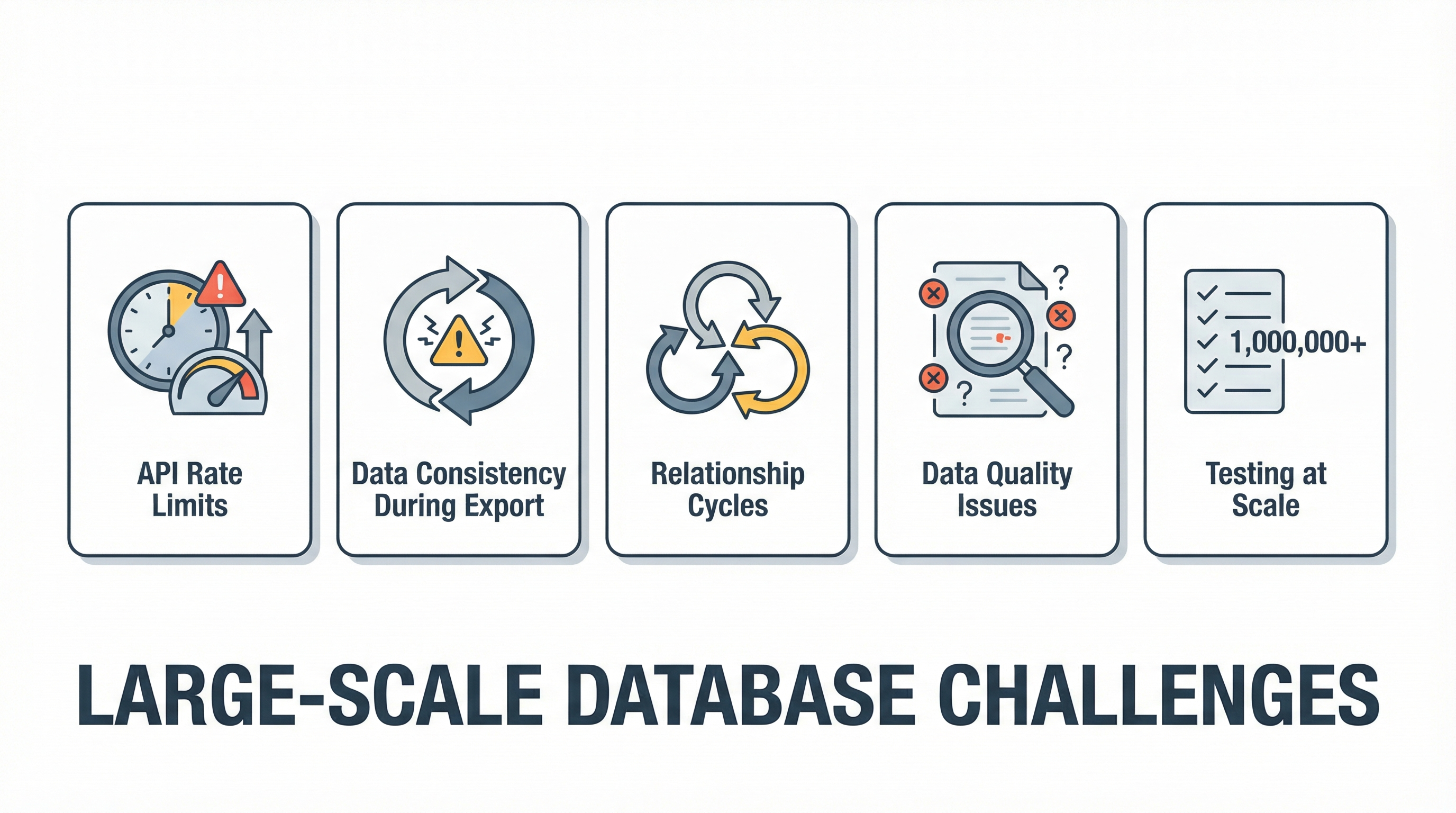
Three million records introduces problems you won't see at smaller scales.
Challenge 1: Bubble API Rate Limits
Bubble limits API requests to prevent abuse. At scale, you'll hit these limits constantly.
Solutions:
- Add exponential backoff to your export scripts
- Run exports during off-peak hours (2-6 AM)
- Use multiple API keys if possible (with different apps)
- Accept that it takes time—plan for days, not hours
async function fetchWithRetry(url, options, maxRetries = 5) {
  for (let i = 0; i < maxRetries; i++) {
    try {
      const response = await fetch(url, options);
      if (response.status === 429) {
        // Rate limited - wait and retry
        const waitTime = Math.pow(2, i) * 1000; // 1s, 2s, 4s, 8s, 16s
        await sleep(waitTime);
        continue;
      }
      return response;
    } catch (e) {
      if (i === maxRetries - 1) throw e;
      await sleep(1000);
    }
  }
}
Challenge 2: Data Consistency During Export
Your Bubble app keeps running while you export. Users are creating orders, updating profiles, uploading files. How do you capture a consistent snapshot?
Solutions:
Option A: Point-in-time snapshot
Record the exact timestamp when export starts. During cutover, export all changes since that timestamp.
Option B: Multiple passes
Do a full export, then two more passes capturing only modified records. Each pass narrows the window.
Option C: Scheduled downtime
If your app can tolerate it, put Bubble in maintenance mode for the full export. This guarantees consistency but impacts users.
Challenge 3: Relationship Cycles
Sometimes Bubble data has circular relationships:
- User → Company → Admin User → User (circular)
- Order → Refund → Original Order (self-referential)
Standard export order doesn't work here.
Solution:
Export all records first with NULL relationships. Then do a second pass to populate relationships:
-- Pass 1: Import with NULLs
INSERT INTO companies (id, name, admin_user_id)
VALUES (uuid, 'Acme Corp', NULL);

INSERT INTO users (id, company_id, name)
VALUES (uuid, company_id, 'John'); -- company_id populated

-- Pass 2: Update circular refs
UPDATE companies c
SET admin_user_id = u.id
FROM users u
JOIN id_map m ON m.bubble_id = '...'
WHERE u.id = m.new_id;
Challenge 4: Data Quality Issues
At 3 million records, you'll find garbage. Records created by tests, corrupt data from bugs, fields that changed meaning over time.
Common issues we've seen:
- Phone numbers stored in 5 different formats
- Dates in both Unix timestamps and ISO strings
- Null vs empty string inconsistency
- Duplicate records that should have been unique
- Orphaned records from deleted parents
Solution:
Build data cleaning into your migration scripts:
function cleanPhoneNumber(phone) {
  if (!phone) return null;
  // Remove everything except digits
  const digits = phone.replace(/\D/g, '');
  // Validate length
  if (digits.length < 10 || digits.length > 15) return null;
  return digits;
}

function cleanRecord(bubbleRecord) {
  return {
    ...bubbleRecord,
    phone: cleanPhoneNumber(bubbleRecord.phone),
    email: bubbleRecord.email?.toLowerCase().trim(),
    created_at: parseTimestamp(bubbleRecord['Created Date']),
  };
}
Document every transformation. You'll need to explain decisions later.
Challenge 5: Testing at Scale
You can't manually verify 3 million records. You need automated validation.
Statistical checks:
-- Distribution should match
SELECT
  DATE_TRUNC('month', created_at) as month,
  COUNT(*) as count
FROM orders
GROUP BY 1
ORDER BY 1;

-- Compare with expected distribution from Bubble
Sampling checks:
-- Randomly sample 1000 records
SELECT * FROM orders
ORDER BY RANDOM()
LIMIT 1000;

-- Manually verify a subset, automate the rest
Integrity checks:
-- All orders should have valid users
SELECT COUNT(*) FROM orders WHERE user_id NOT IN (SELECT id FROM users);

-- All monetary values should be positive
SELECT COUNT(*) FROM orders WHERE total_cents < 0;

-- All emails should be valid format
SELECT COUNT(*) FROM users WHERE email !~ '^[A-Za-z0-9._%+-]+@[A-Za-z0-9.-]+\.[A-Za-z]{2,}$';
Real Numbers: What Migration Looks Like
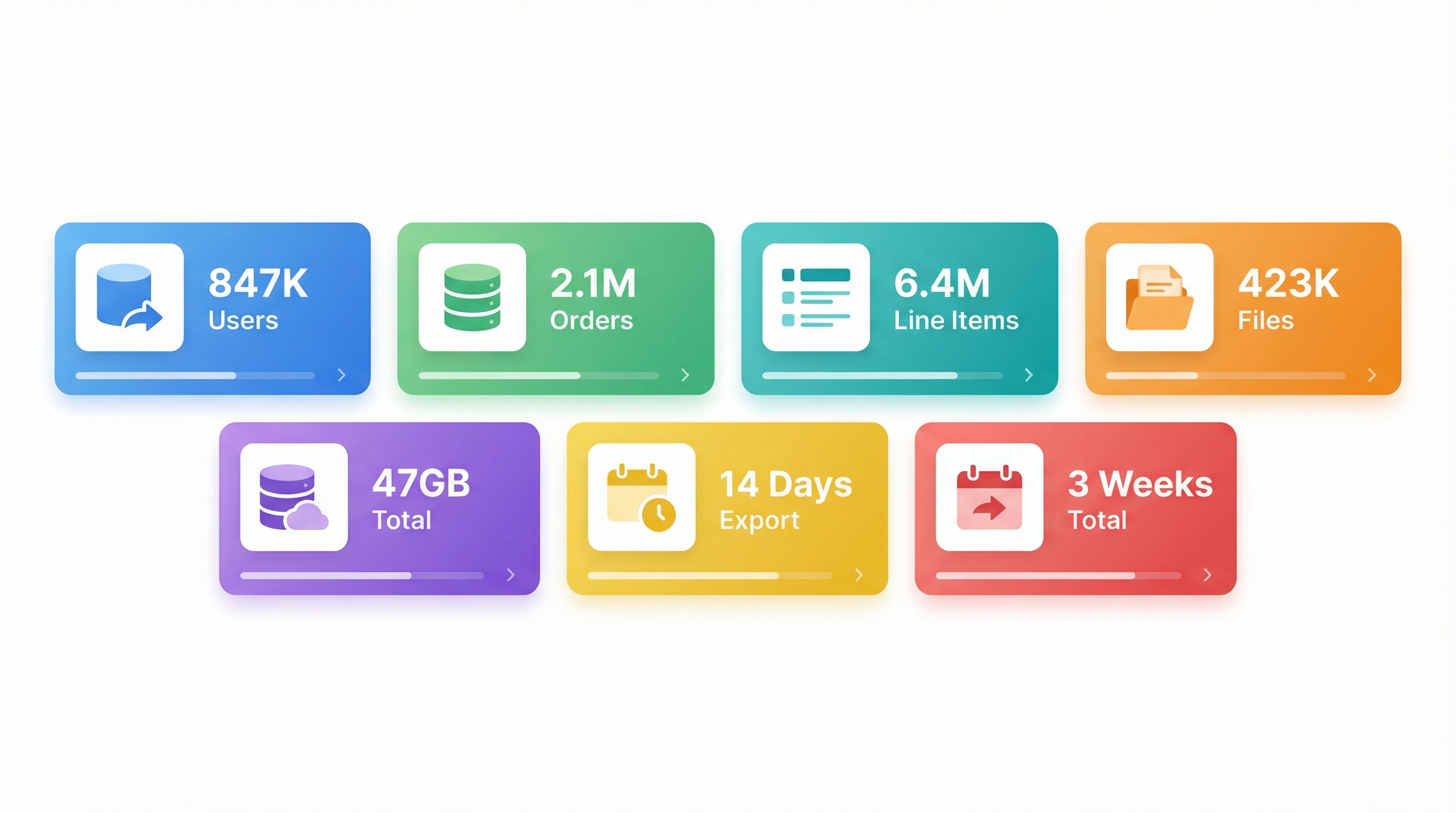
Let's put concrete numbers to a real 3-million-record migration:
Database size:
- Users: 847,000 records (142 MB)
- Products: 12,000 records (8 MB)
- Orders: 2,147,000 records (891 MB)
- Line Items: 6,428,000 records (1.2 GB)
- Files: 423,000 files (47 GB)
Export times (API-based):
- Users: 23 hours
- Products: 15 minutes
- Orders: 59 hours
- Line Items: 178 hours
- Files: 96 hours (parallel download)
Total export time: ~14 days with overlap and retries
Validation and cleanup: 4 days
Cutover window: 4 hours
Total project timeline: 3 weeks
Cost breakdown:
- Developer time: ~80 hours @ $150/hr = $12,000
- Cloud infrastructure: ~$200
- Bubble API overhead: $0 (included in plan)
- Downtime cost: Depends on your business
Post-migration results:
- Query performance: 15x faster on average
- Hosting costs: $50/month (vs. $349/month on Bubble)
- Load time: 1.8 seconds (vs. 12 seconds on Bubble)
The ROI is clear—even at $12K+ in migration costs, the savings pay for themselves in one year of reduced hosting.
When to Consider Professional Help
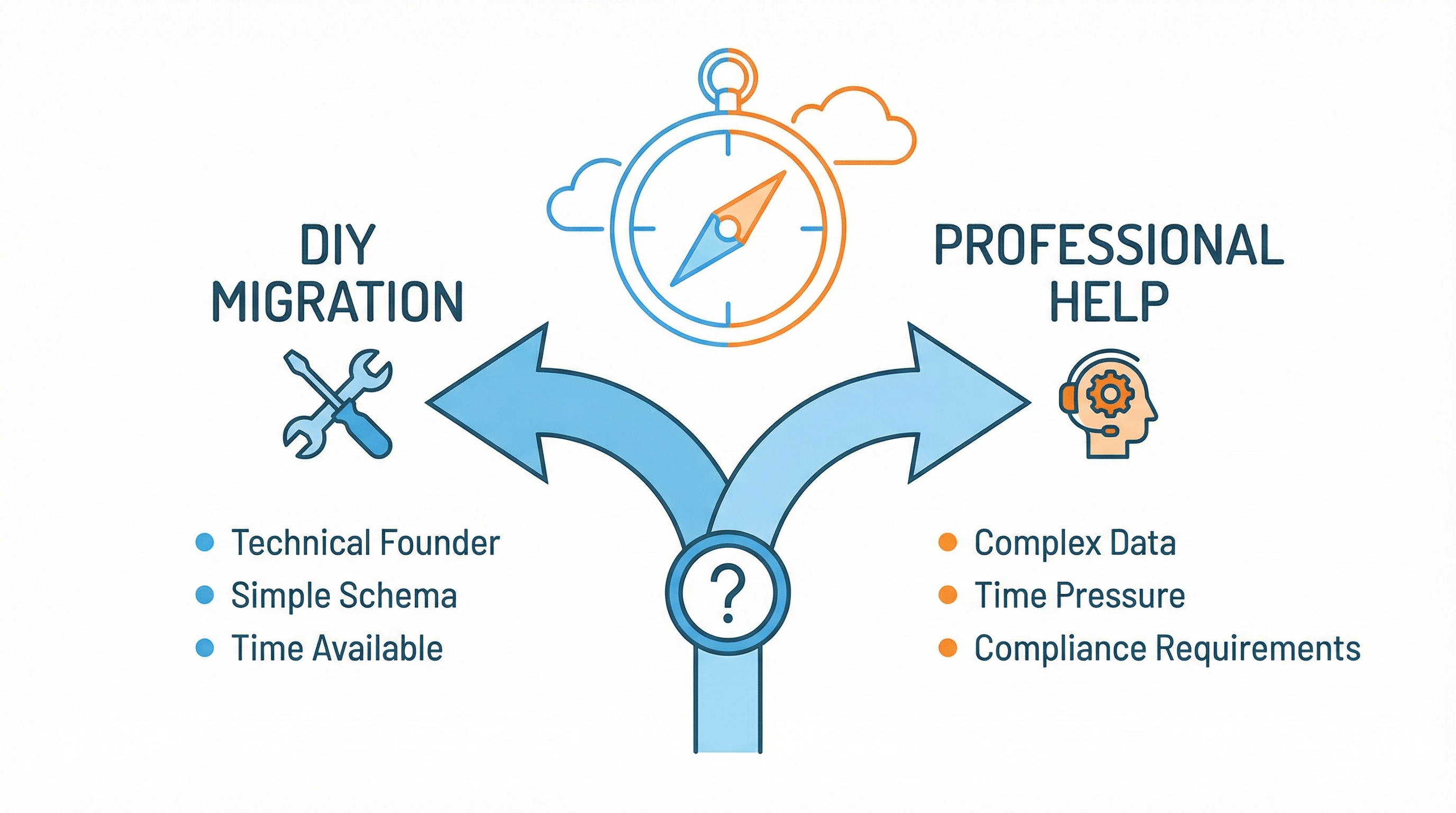
This guide gives you the complete process, but let's be honest: migrating 3 million records is a significant undertaking. Here's when DIY makes sense and when it doesn't.
DIY makes sense if:
- You have a technical co-founder or lead developer
- Your data model is relatively simple (< 15 tables)
- You can afford 3-4 weeks of focused engineering time
- Data integrity issues won't cause regulatory problems
Professional help makes sense if:
- Your team lacks database migration experience
- You're under time pressure (investors, compliance deadlines)
- Your data model is complex (many relationships, custom types)
- Financial or healthcare data requires audit trails
- You've already tried once and hit walls
At BubbleExport, we've handled migrations up to 8 million records. Our automated tools handle the export parallelization, relationship mapping, and validation—what takes weeks manually takes days with tooling.
Talk to us about your migration →
Frequently Asked Questions
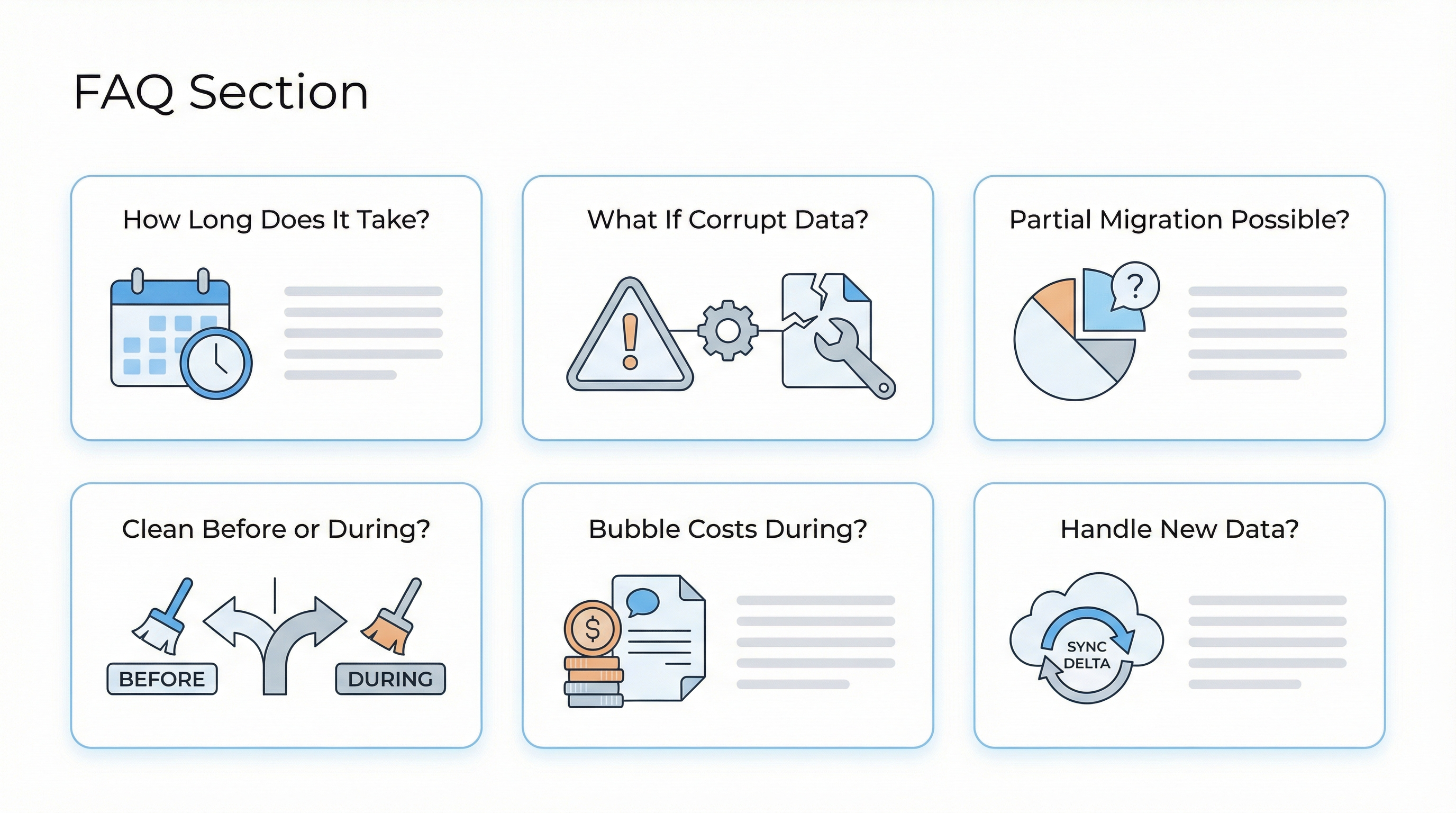
How long does it really take to migrate 3 million records?
With dedicated effort: 2-4 weeks. The export itself takes 10-14 days due to API rate limits. Add time for schema design, validation, cleanup, and cutover. Don't try to rush it—data migrations have long tails of edge cases.
What if I find corrupt data during export?
Document it, clean it during migration, and notify your team. Some corruption is normal (test data, bugs, etc.). If you find systematic issues that affect business logic, pause and investigate before proceeding.
Can I do a partial migration—just move some data?
Yes, but it's complicated. You'll need to maintain syncing between Bubble and your new database until you complete the migration. This extends timeline and complexity. We recommend committing to a full migration when possible.
Should I clean data before or during migration?
During migration, as part of the import scripts. Cleaning in Bubble is slow and doesn't let you enforce new constraints. Let the migration process be your data cleanup opportunity.
What about ongoing Bubble costs during migration?
Keep your Bubble plan active through the migration and for 30-90 days after. The cost is worth it for rollback capability and reference. After you're confident, downgrade to free or delete.
How do I handle data created during the migration period?
Use the delta export approach: record when you started, export changes since that time during cutover. For a 2-4 week migration, this typically adds 30-60 minutes to your cutover window.
The Lock-In Is Real, But So Is the Exit
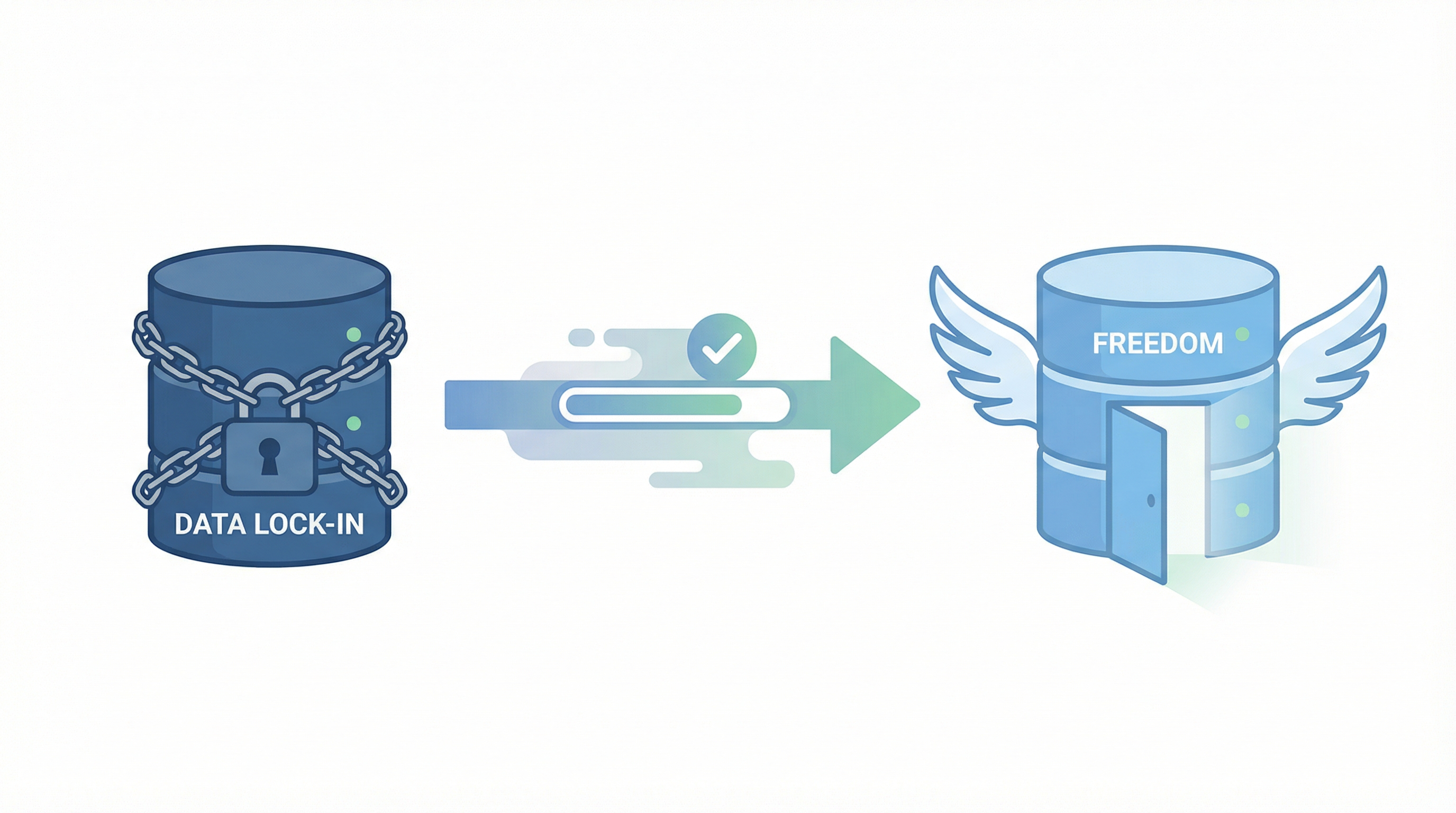
Bubble makes it easy to build and hard to leave. That's the deal you made when you chose the platform.
"the lock in that Bubble has on your data is super frustrating" — stuart8, Bubble Forum
Stuart8 is right—it is frustrating. But it's not impossible.
Three million records sounds overwhelming. It sounds like years of work trapped in a proprietary system. It sounds like a problem too big to solve.
But founders have done it. Stuart8 did it. Others have done it. The process is tedious, not impossible.
And on the other side?
"We have moved out completely from bubble using supabase and next js. possibilities are endless" — munaeemmmm, Bubble Forum
"I never thought of going back to bubble" — munaeemmmm, months after migration
Freedom. Performance. Ownership. The ability to hire any developer, use any tool, scale without unpredictable costs.
Your 3 million records aren't a prison sentence. They're an asset—and assets are meant to be portable.
Ready to migrate your large Bubble database?
Get a free migration assessment → — We'll analyze your data model, estimate timeline and complexity, and tell you honestly whether DIY or professional help makes more sense for your situation.
Related reading:
Ready to talk migration?
Get a free assessment of your Bubble app. We'll tell you exactly what to expect — timeline, cost, and any potential challenges.